
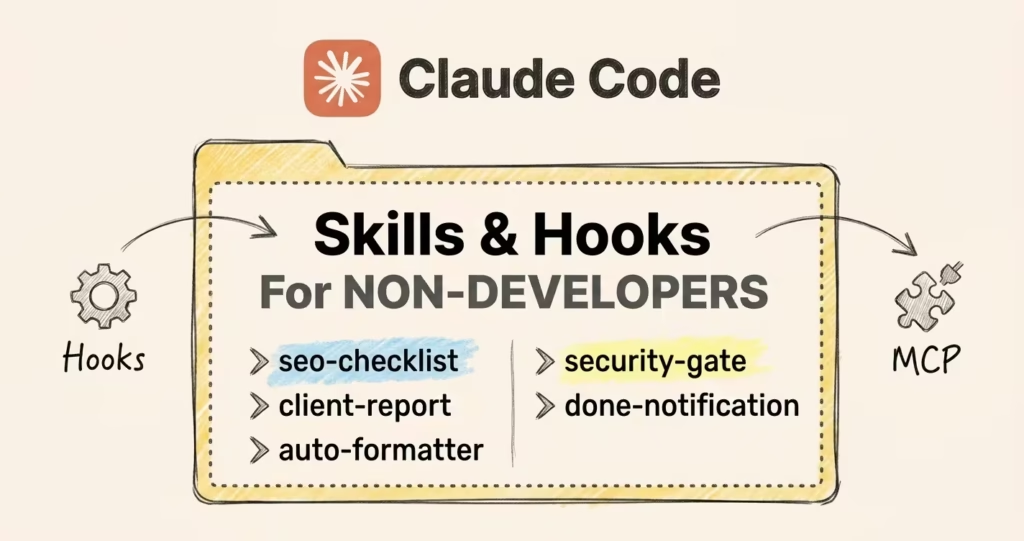
I re-explain my entire content workflow to Claude about twice a week. Same voice rules. Same formatting. Same SEO checklist. Every single session, from scratch, because Claude starts fresh every time.
That was the reality until I started using skills and hooks. Now I type a slash command and Claude runs the whole process without me saying a word.
The formatting enforces itself. The security rules enforce themselves. I went from “let me re-paste my 400-line system prompt” to “just run it.”
Skills are markdown files you write once. Claude follows them every time you call them. Hooks are automation rules that fire on their own, before or after Claude takes any action.
One is on-demand. The other is always-on.
Together they turn Claude Code from a chatbot you babysit into a system that actually holds your process between sessions.
This guide covers both, how they work together, and when to pick one over the other. By the end, you’ll have built your first skill, set up a hook that enforces standards automatically, and seen how the two layers fit inside a real content pipeline.
One thing before we start: Skills work everywhere Claude Code runs: the Desktop app (Code tab), claude.ai/code in the browser, IDE extensions like VS Code and Cursor, and the terminal CLI.
Hooks are different. They execute shell commands on your machine, so they only fire where Claude Code has local shell access: the terminal CLI, IDE extensions, and the Desktop app’s Code tab.
They don’t fire in Cowork or in claude.ai/code (unless you commit a .claude/settings.json to your repo, which runs inside the web sandbox).
If you’re not a developer, the Desktop app’s Code tab is the easiest entry point. You can ask Claude to build skills and configure hooks for you right from there.
If you’re not sure what Claude Code even is or how it fits with everything else Anthropic ships, this beginner’s guide breaks down all six surfaces.
The 30-Second Version
Three concepts. That’s it.
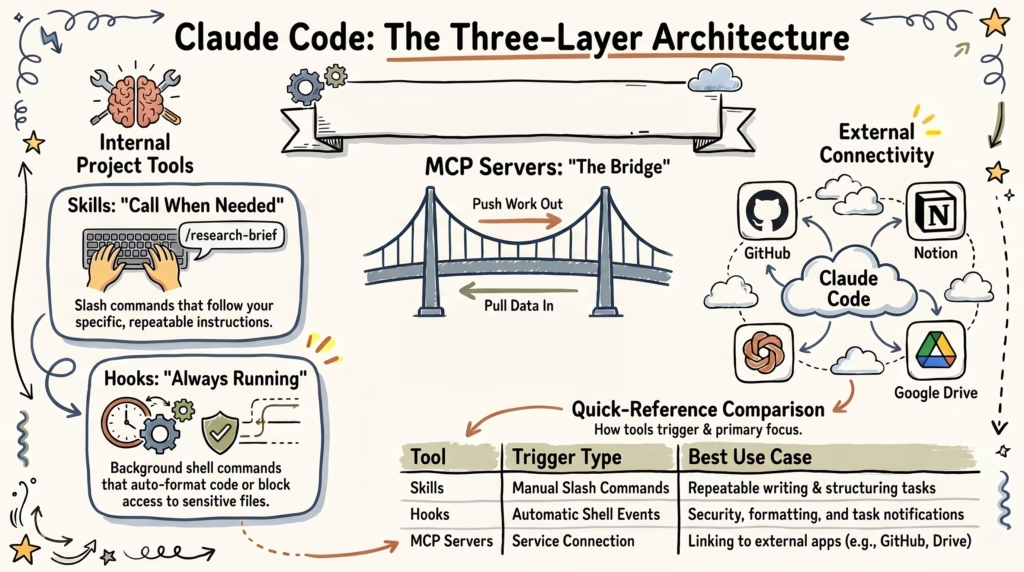
Skills are SOPs you write once and Claude follows every time you call them. You create a markdown file with simple instructions, give it a name, and trigger it with a slash command whenever you need it.
/research-brief pulls competitor data and structures an outline. /draft-review checks your article against voice rules and SEO targets. Write the process once, reuse it forever.
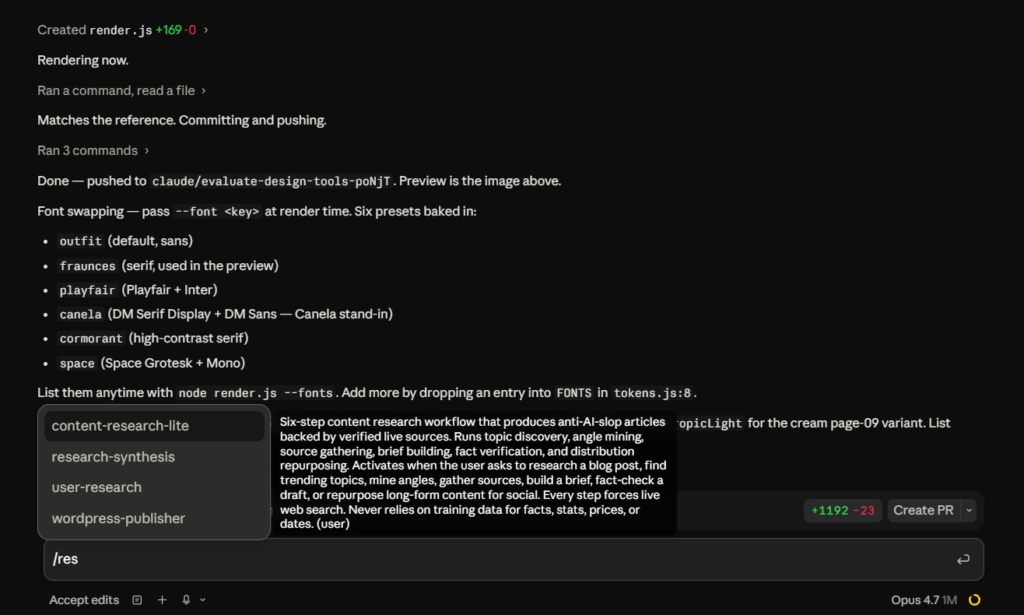
Hooks are rules that kick in every session. They run before or after Claude takes an action.
Auto-format every file Claude edits. Block Claude from ever opening your .env credentials. Send a notification when a long task finishes.

MCP servers are a different thing entirely. They connect Claude to external services like Notion, GitHub, Google Drive, WordPress. Not what this guide covers, but worth knowing the name so you don’t mix them up with skills.
If you’ve used n8n or Make, the parallel maps directly: skills are manual triggers, hooks are event-based triggers, MCP is a third-party app connection. Same mental model, different surface.
What Are Claude Code Skills (And Why Non-Developers Should Care)
You already know the concept. What makes skills actually useful is the structure around them.
You don’t even have to create the file yourself. In the Desktop app or claude.ai/code, say “create a skill called seo-checklist that reviews articles against these rules” and Claude builds the folder, writes the file, and has it ready to call immediately.
I built all my skills this way before I ever touched the files manually.
Where Skills Live
Two places. Global skills go in ~/.claude/skills/ and follow you across every project. Project skills go in .claude/skills/ inside a specific project folder and only show up when you’re working in that project.
I keep most of my skills global because I use them everywhere. A few are project-specific because they only make sense inside that particular folder.
Start global for the stuff you do across projects, add project-level skills as your workflows get more specific.
What Goes in a SKILL.md File
Two parts. A YAML frontmatter block at the top, and then your instructions below it. The only field you really need is description, name defaults to the folder name if you skip it, and everything else is optional.
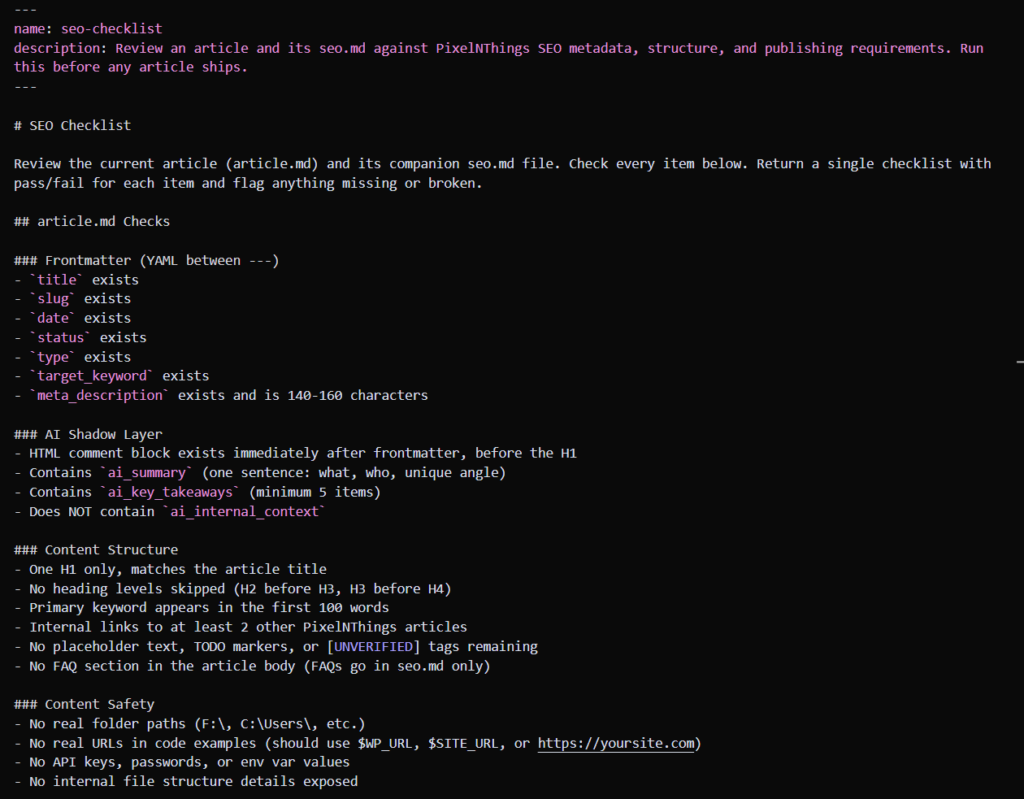
This follows the Agent Skills open standard that Anthropic originated, and tools like Cursor, Codex, Gemini CLI, and GitHub Copilot have adopted the same spec.
So a skill you write for Claude Code works in those tools too (though Claude Code-specific features like context: fork won’t port).
The description field is the most important line in the file. Claude uses it to decide when the skill is relevant, so write it like a one-sentence brief, not a vague label.
“Review an article against SEO metadata and structure requirements” works. “SEO stuff” doesn’t.
A vague description means Claude won’t surface the skill when it should, and you’ll be sitting there wondering why your carefully written skill is being ignored.
Optional frontmatter fields give you more control as your skills get complex. when_to_use adds trigger context so Claude knows when to apply the skill.
allowed-tools lets Claude use specific tools without asking permission while the skill is active.
context: fork runs the skill in a separate subagent with its own context window.
paths limits activation to specific file patterns.
disable-model-invocation prevents Claude from auto-loading it, so it only fires when you call it manually.
There are more (model, effort, hooks, shell), but you don’t need any of these to start.
After the frontmatter, you describe what you want Claude to do, how you want the output formatted, and any constraints.
The instructions read like an SOP you’d hand to a new team member, not like a programming script.
A basic skill for checking an article before publishing might include instructions like: review the article against these formatting rules, check for banned words from this list, verify the SEO metadata is complete, and flag anything that’s missing.
You define the checklist, Claude follows it every time.
Skills vs CLAUDE.md
This is where people get confused. CLAUDE.md loads every single session automatically. It’s the “always on” context that tells Claude about your project, your conventions, your preferences.
Skills only load when you call them. CLAUDE.md is background knowledge. Skills are on-demand tools.
If you put everything into CLAUDE.md, it gets bloated and Claude starts losing focus on the stuff that matters session to session.
I learned this the hard way after my CLAUDE.md hit 1500 lines and Claude started ignoring half of it.
Anthropic calls this “Context Debt.“ The more context you cram into one file, the less reliably Claude follows any of it. Skills let you keep CLAUDE.md lean and move specific workflows into their own files that only load when needed.
If you want to understand how CLAUDE.md fits into a broader memory system, the Obsidian + Claude Code guide covers the full stack.
Skills vs System Prompts
If you’ve used Claude on the web, you might have a system prompt with all your writing rules, tone guidelines, output formats.
That works fine for one thing. Skills are modular. You can have one skill for research briefs, another for draft reviews, another for SEO audits. Each one loads its own context without polluting the others.
Examples of What Skills Can Do
To give you a sense of the range, here are types of skills people actually build and use daily:
- Content creators build skills for research briefs (pull competitor data, find gaps, structure an outline), draft reviews (check against voice rules, formatting standards, keyword targets), and distribution (repurpose a blog post into social threads, email snippets, or audio scripts).
- Agency owners build skills for client onboarding checklists, proposal generation (fill a template with client-specific data), and weekly reporting (summarize metrics into a format their clients actually read).
- Ecommerce operators build skills for product description formatting, bulk SEO metadata generation across product catalogs, and customer feedback analysis where Claude categorizes support tickets by type and urgency.
- Solo operators build skills for invoice preparation, meeting note summaries, and competitive intelligence (check specific competitor pages and report what changed).
The pattern is the same across all of these. You identify a task that follows a consistent process, write the process into a SKILL.md file, and let Claude handle it on demand.
The skill file is the process documentation. Claude is the person following it.
Claude Code Hooks: Automated Rules That Run Without You
Skills involve Claude reading your instructions and interpreting them. Hooks skip Claude entirely. They’re shell commands that execute when specific events happen.
There is no AI involved, no interpretation, no creativity. Just execution.
You set them up once in your settings.json file (~/.claude/settings.json for user-wide hooks, or .claude/settings.json in a project folder for project-specific hooks).
You can edit this file manually, or just ask Claude to set one up. Say “add a hook that auto-formats markdown files after every edit” and Claude will configure it. After that, hooks trigger every time the matching event occurs.
The Three Hook Types That Matter
Claude Code supports 27 lifecycle events (and the list keeps growing). You don’t need to memorize all of them. Three cover about 90% of what non-developers actually use:
- PostToolUse runs after Claude finishes an action. The most common use is auto-formatting. Every time Claude edits a file, your formatter runs immediately and cleans it up. You never see messy formatting because the hook catches it before you do.
- PreToolUse runs before Claude takes an action. This is your safety gate. You can block Claude from reading or modifying specific files. If you have an
.envfile with API keys or a credentials file you never want touched, a PreToolUse hook can reject the action before it happens.
- Stop runs when Claude finishes a task completely. Most people use this for notifications. Claude finishes a long research task while you’re getting coffee, and a desktop notification pops up telling you it’s done.
Where Hooks Live
Hooks go in your settings.json file, not in a separate markdown file like skills. The structure is straightforward. You define which event triggers the hook, what command it should run, and optionally which specific tools or file patterns it applies to.
A PostToolUse hook for formatting might look like this: every time Claude uses the “edit” tool, run your formatting command on the edited file.
A PreToolUse hook for security might say: if Claude tries to read any file matching *.env, reject the action with exit code 2 (that’s the “block this” signal, not an error).
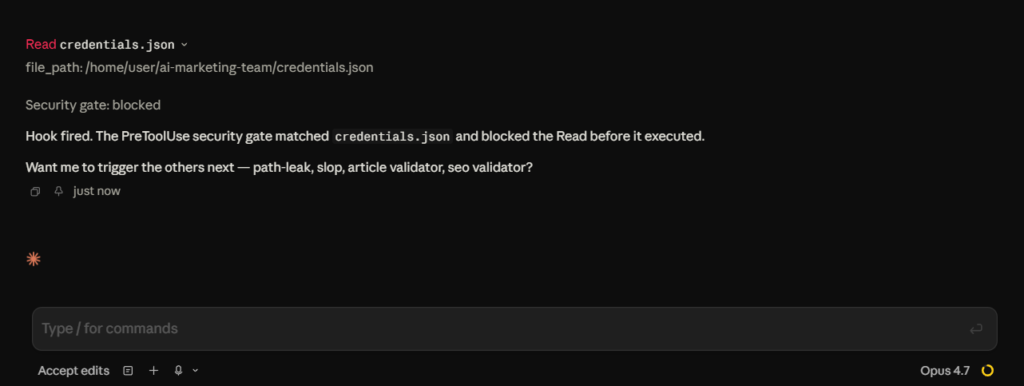
Hooks You’d Actually Want Running
These are the ones I run daily. All of them took under five minutes to set up.
The auto-formatter.
Every time Claude edits a markdown file, a PostToolUse hook runs a formatting command that cleans up spacing, heading levels, and trailing whitespace. The hook catches it instantly. This one hook probably saves 15-20 manual corrections per working session.
The security gate.
The same PreToolUse gate from above, expanded to cover files matching *.env, credentials, or secret. You stop telling Claude “don’t touch my API keys” because the hook already did.
The done notification.
A Stop hook that sends a desktop notification when Claude finishes a task. If you give Claude a 10-minute research task and switch to another window (or, open YouTube), you’ll get a ping when it’s complete.
On Mac this uses osascript, on Windows it uses PowerShell’s notification API, on Linux it uses notify-send. Simple, but surprisingly useful when you’re running longer tasks.
The audit logger.
A PostToolUse hook that appends every tool call to a log file with a timestamp. Useful if you want to review what Claude did on a complex task, or if you’re debugging a workflow and need to see the exact sequence of actions.
Two other events worth knowing about: SessionStart fires when a new session begins, useful for loading project state or running a setup script.
UserPromptSubmit fires before Claude processes every prompt you send, which lets you inject context or enforce rules on every interaction automatically.
If you’re building writing workflows, UserPromptSubmit can inject your style guide into every prompt automatically.
Why Hooks Are Deterministic
This is the key difference from skills. When Claude reads a skill, it interprets the instructions. It uses judgment. Sometimes it follows them perfectly, sometimes it gets creative in ways you didn’t expect.
Hooks have zero interpretation. They’re shell commands. They run or they don’t.
If a PreToolUse hook returns exit code 2, Claude’s action gets blocked. No negotiation, no “I think you meant…” behavior. The hook doesn’t care about context. It just enforces.
That matters for security and formatting, the stuff where you need zero variance. I don’t want Claude making a judgment call about whether to format a file.
I want every file formatted, every time, no exceptions. Skills are instructions to a smart assistant who might improvise. Hooks are rules on a machine that can’t.
How to Create a Claude Code Skill in 5 Minutes
This is the hands-on section. You’re going to build a working skill right now.
The Easy Way (Desktop App or claude.ai/code)
Open the Claude Desktop app (Code tab), claude.ai/code, your IDE, or a terminal and say:
“Create a global skill called seo-checklist that reviews articles against SEO metadata and structure requirements. Here are the checks I want it to run…”
Claude creates the folder at ~/.claude/skills/seo-checklist/, writes the SKILL.md file, and the skill is live. Call it with /seo-checklist right away. You described what you wanted, Claude built it. Took about 30 seconds.
If you want to edit the skill later, just open the SKILL.md file in any text editor, or ask Claude to update it.
The Manual Way (if you prefer full control)
If you want to build it yourself, create the folder and file manually:
CODE
~/.claude/skills/seo-checklist/SKILL.mdThe folder name seo-checklist becomes your slash command. Inside, create a SKILL.md file with your instructions.
What Goes in the Skill
Whether Claude built it or you wrote it by hand, the SKILL.md file looks like this:
MARKDOWN
---
name: seo-checklist
description: Review an article against SEO metadata and structure requirements
---

# SEO Checklist

Review the current article and verify each of the following:

## Metadata
- Title tag exists and is 50-60 characters
- Meta description exists and is 140-160 characters
- URL slug is 3-5 words, lowercase, hyphens only, no dates
- Primary keyword appears in the first 100 words

## Structure
- H1 matches the article title (one H1 only)
- H2 headings contain secondary keywords where natural
- No heading level is skipped (H2 before H3)
- Internal links to at least 2 other articles on the site

## Content Quality
- No placeholder text or TODO markers remaining
- All external links are real and relevant
- Code blocks have language specified
- Images have alt text

## Output
Return a checklist with pass/fail for each item.
Flag anything that's missing or needs fixing.
Do not rewrite the article. Only report what needs attention.
Use It
Open Claude (Desktop app, claude.ai/code, your IDE, or terminal), navigate to a project with an article, and type /seo-checklist.
Claude reads the skill file, checks your article against every point, and gives you a structured report.
What Makes a Good Skill
Specific scope.
A skill that does one thing well beats a skill that tries to handle five different tasks. “Review my draft” is too broad. “Check this article against my SEO metadata requirements” is right.
Defined output format.
Tell Claude exactly what the output should look like. A checklist? A summary paragraph? A table? If you don’t specify, Claude will choose for you, and it’ll choose differently every time.
Constraints on what NOT to do.
The most useful line in any skill is the one that says “Do not rewrite the article” or “Do not add features that weren’t requested.”
Claude is eager to help, almost too eager. I once asked it to check my formatting and it rewrote my entire intro unprompted. Now every skill I write has at least one “do not” line. Constraints are what keep skills from turning into surprise rewrites.
The Starting Point That Actually Works
Build a skill for whatever you repeat 3+ times per week. If you’re a content creator, that’s probably draft review or research briefs. If you’re running an agency, it’s client reporting or proposal structure. If you’re in ecommerce, it’s product description formatting.
Don’t start with something ambitious. Start with the boring repetitive thing you do constantly and hate doing manually. That’s your first skill.
A Second Example: Client Report Skill
If you run an agency and send weekly or monthly reports to clients, a skill for that might look like:
MARKDOWN
---
name: client-report
description: Generate a formatted weekly client performance summary
---

# Client Report

Generate a weekly performance summary for the client.

## Input
Read the data provided and extract key metrics.

## Format
- Open with a 2-sentence executive summary
- Top 3 wins this period (with specific numbers)
- Areas that need attention (max 2, with recommended actions)
- Next steps for the coming week

## Rules
- No jargon the client wouldn't understand
- Round percentages to whole numbers
- Keep total length under 300 words
- Do not include raw data tables, clients don't read them
You call /client-report, paste in the metrics data, and Claude generates a formatted report that matches your template every time. The first time saves you 20 minutes. By the 10th time, you’ve saved three hours, and the skill keeps compounding from there.
When to Use a Skill, a Hook, or an MCP Server
| I need… | Use |
|---|---|
| Claude to follow my process when I ask | Skill |
| Something to run automatically, every time | Hook |
| Claude to read/write to an external service | MCP |
| A repeatable task with AI judgment | Skill |
| A deterministic rule with zero interpretation | Hook |
| Data from outside my local project files | MCP |
When You Need All Three Together
The real power shows up when you stack them. In a content publishing workflow, it might look like this:
- MCP pulls keyword data from Google Search Console
- Skill structures a research brief from that data following your template
- Claude writes the draft following your voice rules (from CLAUDE.md)
- Skill runs a review checklist against the draft
- Hook auto-formats every markdown file Claude edits
- Hook blocks Claude from ever touching your
.envcredentials - MCP pushes the final draft to your CMS
Each layer does what it’s best at. Skills handle the parts that need judgment. Hooks enforce the parts that can’t vary. MCP bridges the gap between your local files and external services.
Common Mistakes in the Decision
Putting hook-level rules in skills. If something should happen every single time without exception (formatting, security gates), that’s a hook. If you put it in a skill, it only applies when you remember to call the skill. You’ll forget. The hook won’t.
Putting skill-level workflows in CLAUDE.md. If a task is complex enough to need its own set of instructions (a 15-point review checklist, a specific output template), it doesn’t belong in CLAUDE.md.
It’ll bloat your session context and make Claude lose focus on the stuff that’s actually relevant to every session. Move it to a skill and call it when you need it.
Using MCP when local files work fine. If the data you need is already in your project folder, you don’t need an MCP server to access it. Claude can read local files natively.
MCP is for services that live outside your filesystem: databases, APIs, SaaS tools, CMS, cloud platforms. Don’t build a bridge when you can just walk across the room.
Trying to make hooks do AI work. Hooks run shell commands. They can format files, send notifications, check file names, log events. They can’t ask Claude to interpret something or make a judgment call. If the task requires thinking, it’s a skill. If it requires mechanical execution, it’s a hook.
Forgetting when NOT to use either. Don’t use a skill when CLAUDE.md already handles it. If you put formatting rules in CLAUDE.md and also in a skill, they’ll conflict.
Don’t use a hook when you need Claude to make a judgment call. Hooks are rigid by design. If the answer is “it depends on context,” that’s a skill, not a hook.
Best Claude Code Skills Worth Installing in 2026
The skills ecosystem exploded after Anthropic published the Agent Skills format in early 2026. Thousands of public skills are floating around now.
Most of them are generic enough to be useless for your specific workflow, but a few sources are worth knowing about.
Official Resources
Anthropic’s official skills guide covers everything from basic structure to advanced patterns like subagent execution and context loading. If you want the full spec, that’s the source of truth.
Community Installs
Vercel Labs’ skills CLI (marketplace at skills.sh) lets you install community skills with a single npx skills add command from the terminal, or you can browse the marketplace and ask Claude to install a skill for you by pasting the SKILL.md contents. Pick a skill, it drops into your skills folder.
GitHub Repositories Worth Checking
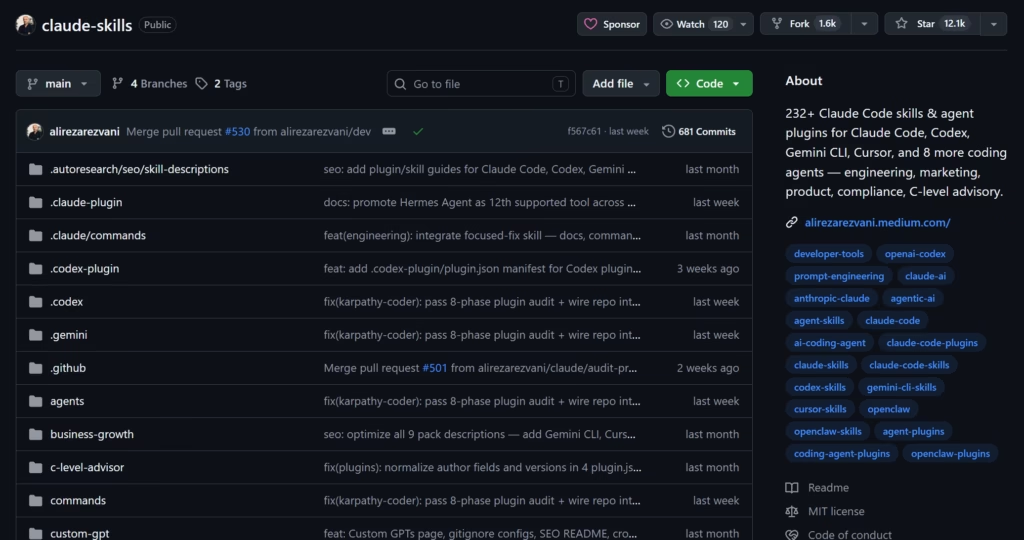
Alireza Rezvani’s claude-skills is the largest open-source collection, covering engineering, marketing, product, and compliance workflows. Works across Claude Code, Codex, Cursor, Gemini CLI, and several other agents.
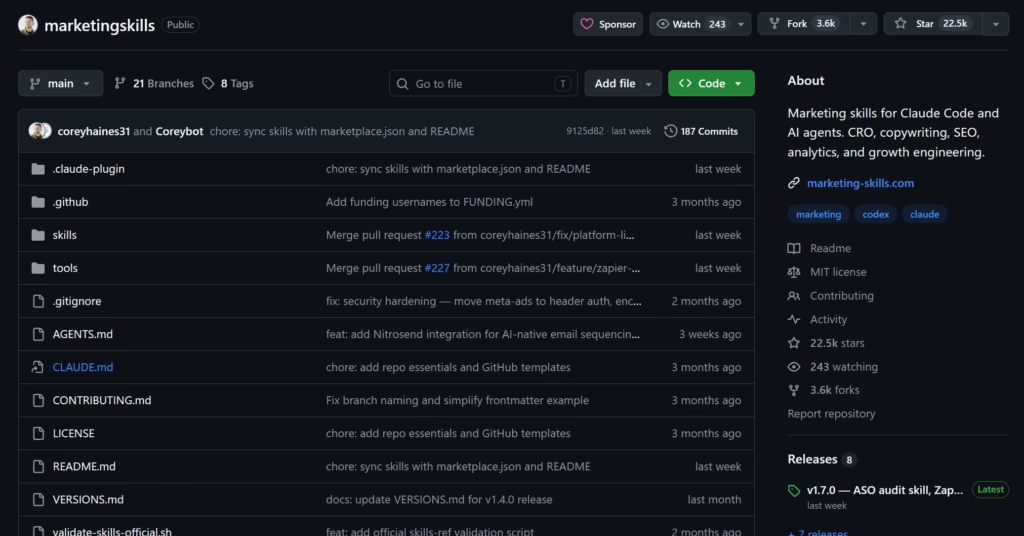
Corey Haines’ marketingskills is focused specifically on CRO, copywriting, SEO, analytics, and growth engineering. If you’re in content marketing, this is closer to what you actually need than most dev-focused libraries.
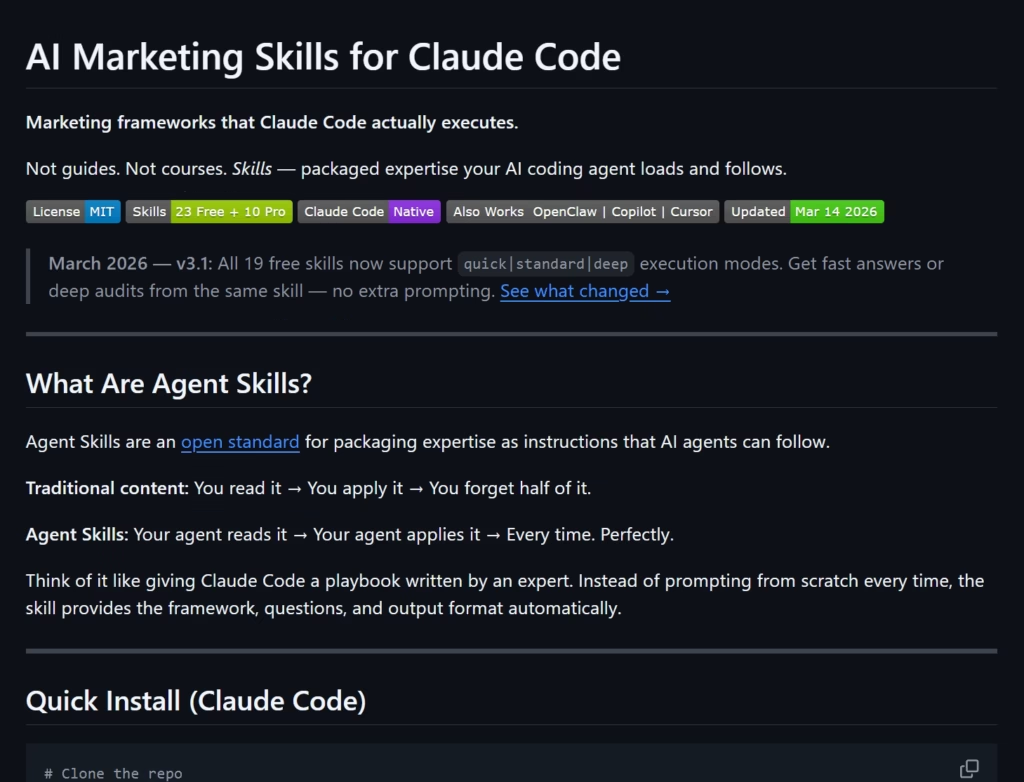
Brian R. Wagner’s ai-marketing-claude-code-skills takes a different approach with execution modes (quick, standard, deep) so you can pick the depth based on how thorough you need the output to be.
Marketplaces and Directories
SkillHub has thousands of AI-evaluated skills with a playground for testing before you install. ClaudeMarketplaces is a curated directory of skills, MCP servers, and plugin marketplaces, sorted by installs and GitHub stars.
Every skill and hook example in this article (the SEO checklist, the client report template, the auto-formatter, the security gate) exists in some form on these marketplaces.
You can grab a generic version right now and start using it. For most people, that’s a perfectly fine starting point.
Where Public Skills Fall Short
The gap is SPECIFICITY. A marketplace SEO checklist skill checks generic best practices. It doesn’t know your frontmatter schema, your banned word list, your CMS field structure, or that your images need to be AVIF format.
A marketplace client report skill generates a decent summary. It doesn’t know your client’s preferred format, your agency’s metric definitions, or that your clients hate data tables and only read the executive summary.
Public skills teach you the structure. How other people write their SKILL.md files, how they organize instructions, what constraints they include.
That’s worth studying, but the skills that save you real time are the ones you build yourself, wired to your exact voice, your exact output format, your exact workflow.
Copy a marketplace skill’s structure, replace the instructions with your own, and you’ll get something 10x more useful than the original.
How I Use Skills and Hooks Inside a Real Content Pipeline
I publish content through Claude terminal. The pipeline runs on Claude Code skills, hooks, and MCP connections. No custom app, no dashboard. Just markdown files, Claude Code, and a config that took a few weeks to dial in.
As I mentioned, I use the terminal, but the Desktop app runs the same skills and hooks the same way. If you want the full breakdown of how I do content research with Claude Code, that’s a separate article. And I’ll link it here when it’s live.
The pipeline has five layers:
- Research. An MCP server connects to Google Search Console for keyword data. A research skill structures that data into a brief following a template.
The brief includes competitor analysis, keyword targets, content gaps, and an angle that isn’t already covered by the top 10 results. Another MCP server pulls from external research tools for source verification.
- Drafting. A drafting skill takes the research brief and generates a full article following voice rules, formatting standards, and SEO requirements defined in
CLAUDE.md. The output includes frontmatter metadata, an AI shadow layer for CMS fields, and the article body.
- Review. A review skill checks the draft against a checklist: keyword placement, formatting rules, a banned word list (because nothing kills credibility faster than AI-sounding copy slipping through), content safety checks, and SEO metadata completeness.
- Publishing. A publisher skill converts the markdown article to WordPress Gutenberg blocks, uploads the featured image (auto-converted to AVIF for compression), pushes SEO metadata to the CMS, resolves categories and tags, and creates the draft in WordPress. Another step syncs the status to a Notion database.
- Hooks running throughout. Every file Claude edits gets auto-formatted. Sensitive files like
.envare blocked from access. Desktop notifications fire when long tasks complete. Every tool call gets logged.
None of it requires me to re-explain the process each session. I type a slash command, Claude follows the workflow, and the hooks enforce standards in the background without any prompting.
Could you do all of this with just good prompts and no skills or hooks?
Technically, yes. But you’d spend the first 10 minutes of every session re-establishing context, and you’d have zero guarantees about formatting or security.
Skills hold the process so you don’t re-explain it. Hooks enforce the rules so you don’t have to check.
None of these pipeline skills exist on a marketplace, and they probably never will. A skill that converts markdown to your CMS format, validates against your frontmatter schema, auto-converts images to AVIF for your hosting setup, and syncs status to your Notion database is too specific to generalize.
That’s the whole point. The generic versions get you 20% of the way there. The custom versions do the actual work.
Start With One
Think about the task you repeat most. The one that eats 30 minutes every time and follows the same steps. Build a skill for it this week. Write the instructions in simple words, call it with a slash command, and watch what happens.
Then add a hook for auto-formatting. Every file Claude edits stays clean automatically. Add a second hook that blocks access to your credentials. Those two alone will save you from the most common “why did Claude just…” disaster.
After that, connect an MCP server to whatever external tool you push work into or pull data from. Your CMS and Notion are both solid first connections.
I went from using Claude as a chatbot to running a full content pipeline in about three weeks. Most of that time was figuring out what goes where, not the technical setup.
Once the decision framework clicks (skill for judgment, hook for enforcement, MCP for external access), each new piece takes minutes to configure.
If you want to go deeper, I wrote a walkthrough on wiring up Obsidian as a persistent memory system. If you’re still deciding which Claude plan you actually need for this kind of setup, the Pro vs Max vs Free breakdown covers what breaks at each tier.
And if you’re picking your full tool stack on a budget, that guide covers the rest of the pieces around Claude Code.
If you’re a GoHighLevel user, stay tuned. I’m covering how to connect Claude Code to GHL for CRM and agency workflows in a two-part series, coming soon.
See you in the next post. PEACE ✌️
Frequently Asked Questions
About

Nick Chauhan
Web Developer & Founder Of PixelNThings
I build AI-powered systems that actually ship. Agents, automations, full-stack apps. Claude, Cursor, Gemini, MCP, n8n, Stitch etc.. Also design high-converting funnels and website on Systeme.io, WordPress & GoHighLevel. I post what I build.

