
If you’re trying to find the easiest way to build a business website in 2026, you’re not short on options. That’s part of the problem.
Every platform says the same thing. Fast. Easy. Professional. No coding needed. Drag, drop, click a few buttons, and apparently your business is supposed to look polished and start printing money by dinner. That’s the fantasy they sell.
But once you actually get your hands on these tools, the story changes pretty fast.
The stuff that’s marketed as “easy” usually gives you a website that looks fine at first glance, but under the hood it feels generic, boxed in, and hard to make truly yours.
Then on the other side, the more flexible platforms give you more power, but suddenly you’re dealing with a bigger learning curve, more setup, more decisions, and a whole lot more room to mess things up.
And now AI website generators have entered the chat too, adding even more noise to an already confused space. They sound exciting, but most of the output still feels rushed, shallow, and weirdly lifeless.
So the real question isn’t just, “What’s the easiest way to build a website?”
It’s this…
What’s the easiest way to build a website that actually helps your business grow… without ending up with something cheap, boring, or completely forgettable?
That’s where most advice falls apart. People talk about speed. They talk about convenience. They talk about features.
But they rarely talk about what actually matters once the site is live… does it look credible, does it feel right for your brand, does it guide people properly, and does it help turn visitors into actual leads or customers?
This guide is here to cut through that noise.
We’re going to look at the real pros and cons of the most common ways people build websites today, without the usual fake hype.
And more importantly, we’ll look at a smarter approach that gives you more control over your design and marketing assets, without tying your entire business to one platform or one trendy tool.
Because in 2026, building a website is not the hard part anymore.
Building one that doesn’t look like everyone else’s lazy template or AI-generated mush… that’s the part people still get wrong.
Evaluating Website Builders in 2026: The Good, The Bad, and The Ugly
When people say they want an “easy” website builder, they usually mean one of two things.
They either want something that helps them get a website online fast… or they want something that helps them build a website that actually works for the business.
Those are not always the same thing, which is where a lot of people get trapped.
Some tools are easy to start with, but frustrating once you want to grow. Some are powerful, but way too heavy for someone who just wants a clean, high-converting business site without turning into a part-time developer.
And some are just dressed-up shortcuts that look good in demos but fall apart the second you try to build something serious.
So let’s break down the main options properly…
Template-Based Builders (Wix, Squarespace, etc.)
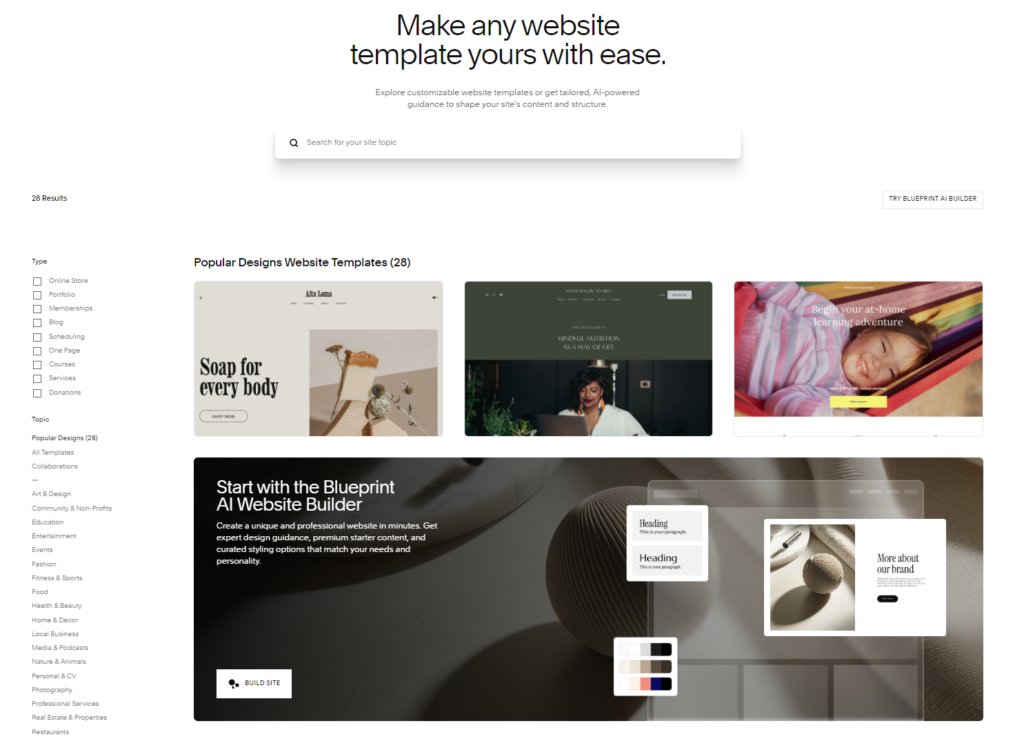
These are the original “easy” website tools. Pick a template, swap the text, upload your images, move a few blocks around, and you’ve got a live website without touching code. For a lot of small businesses, that sounds perfect.
And to be fair, these tools are easy in the beginning. That part is true.
The problem shows up later.
Once you want your site to feel more custom, more strategic, or more aligned with how your business actually sells, you start running into walls.
You realize your site looks a little too similar to a hundred other businesses using the same style. You realize customization only goes so far.
You realize performance is not always great. And worst of all, you realize you’re building inside someone else’s box, following their rules, on their platform.
So yes, it’s easy to get started. But it’s a lot harder to build something that feels unique, scalable, and truly yours.
AI Website Generators
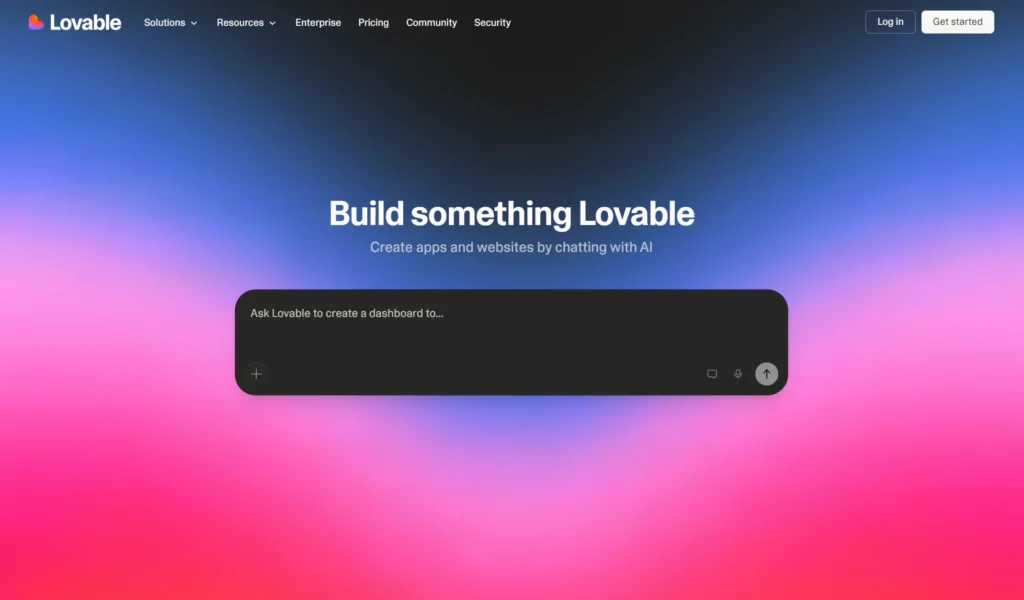
This is the new shiny object. Type a few prompts, answer a couple of questions, and suddenly a website appears in seconds. On paper, it sounds like the future. And honestly, for rough ideas or quick mockups, AI can be useful.
But let’s be real here…
AI is not a designer with taste. It is not a strategist. It does not understand your customer deeply. It does not know what makes people trust your business, what makes them hesitate, or what kind of message actually gets them to take action.
Most AI website generators are just remix machines. They spit out something that looks decent from far away, but once you look closer, it feels generic, disconnected, and empty.
That’s fine if all you need is a placeholder.
It’s not fine if your website is supposed to represent your business properly and help you make money.
AI can absolutely help with workflow, speed, and support. But relying on it to do the full thinking for your website is where people start getting lazy, and the final result usually shows it.
Powerful Platforms (WordPress, Webflow, etc.)
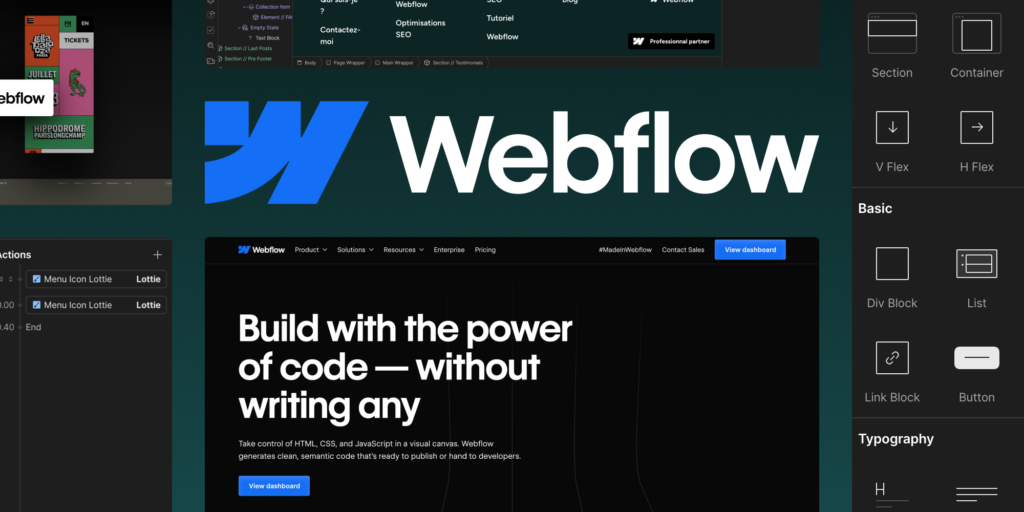
Then you’ve got the more powerful platforms. These give you more freedom, more flexibility, and way more room to create something strong. If you know what you’re doing, they can produce incredible results.
But calling them “easy” would be a stretch.
These platforms have a bigger learning curve, more moving parts, and more decisions to make. You’re not just choosing colors and dragging blocks around.
You’re thinking about structure, plugins, performance, responsiveness, SEO, CMS setup, design systems, and sometimes code too.
That’s not a bad thing, but it does mean the average beginner can get overwhelmed fast.
So while these tools offer real control, they also demand more skill, more time, and better judgment.
And that’s the tradeoff people need to be honest about.
The Hidden Problem No One Talks About… Platform Lock-In
After using all these tools for years, I realized the hardest part was not actually building websites.
It was rebuilding them over and over again.
That was the real drain.
My agency works across WordPress, GoHighLevel, and Systeme.io. So I’d create a strong hero section for one project, maybe on WordPress… then a few weeks later, I’d need that same layout again for a GHL client.
Different platform, same goal, same kind of business… but now I’m stuck rebuilding the whole thing from scratch like some kind of design hamster on a wheel.
A solid section that already worked… already looked good… already did its job… somehow became unusable the second it lived inside the “wrong” builder.
That’s the part nobody really talks about.
Your best work ends up scattered across random platforms, trapped inside separate projects, with no clean way to reuse it properly.
One of your best-performing sections is stuck in a Webflow build. Another one is buried in a WordPress page. Another is living inside a GHL funnel.
And even though you made them, they don’t really feel like assets you own. They feel like pieces of work you have to keep chasing down and recreating.
That is platform lock-in.
And honestly, it’s a hidden tax most people don’t even realize they’re paying.
It costs time, it kills momentum. It makes good designers and builders slower than they should be.
And worst of all, it tricks people into thinking this constant rebuilding is just “part of the process” when really it’s just bad infrastructure.
The so-called easy builders do not solve this problem.
A lot of the time, they make it worse.
And AI tools…same story. They might help you generate a quick mockup or rough first draft, but they do not fix the deeper issue. If anything, they add more disposable output into a workflow that already has too much waste.
A Builder-Agnostic Approach: The Real “Easy” Way in 2026
The easiest way to build something is not to build it faster every single time.
It’s to build it once, properly… and reuse it wherever you want.
That’s the real shift.
Instead of thinking in terms of “Which builder should I commit my whole life to?”, the smarter question is…
How do I create web assets that I can actually keep, reuse, and control no matter where I build?
That’s where a builder-agnostic approach starts making a lot more sense.
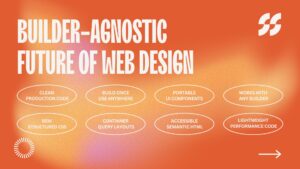
The idea is simple. You create your premium sections, your hero blocks, pricing tables, testimonials, CTA areas, and other important pieces in a system designed for portability. Then you export clean code and drop it into whatever platform you use.
Not locked to one builder.
Not trapped in one project.
Not forced to start from zero just because the next client uses something different.
Here’s what that looks like…
- Build and edit components visually in one dedicated interface
- Export clean HTML and CSS without all the bloated mess
- Paste it anywhere that supports a custom code or HTML block
That’s it.
Now your sections are not just “parts of a page.” They become actual business assets.
Portable. Reusable. Editable. Owned by you.
And that changes everything.
Because once your best-performing designs stop living inside platform silos, your workflow gets faster, cleaner, and way less frustrating.
You stop wasting hours rebuilding the same ideas across different systems. You stop losing good work inside old client projects. You start building a real library of components that can move with you.
That, to me, is the real easiest way to build in 2026.
Not because it’s lazy, because it’s smart.
That idea became PixelNTools.
What is PixelNTools? (A New Toolkit for Non-Coders)
PixelNTools is a collection of premium, builder-agnostic web design components and funnel-building tools made for freelancers, agencies, creators, and business owners who want to build better websites faster… without getting chained to one platform.
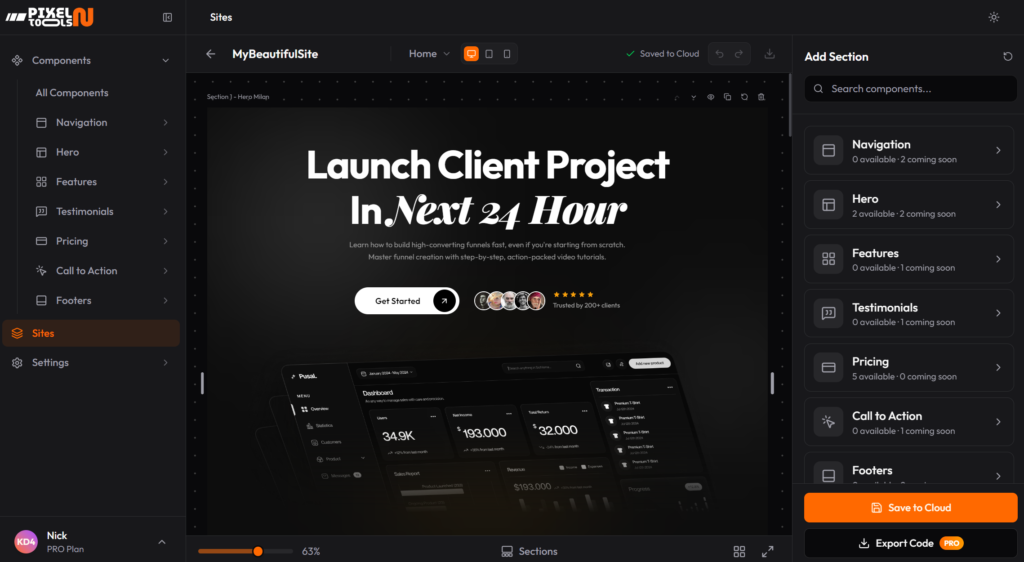
It’s built for people who are tired of the usual tradeoff.
You know the one.
Either use a “simple” builder and end up boxed in…
Or use a more advanced platform and spend way too much time piecing everything together.
PixelNTools sits in the middle in a much smarter way.
It helps you create clean, conversion-focused sections that are not married to one builder. So whether you work in WordPress, GoHighLevel, Systeme.io, Squarespace, Webflow or anything else that accepts HTML or code blocks, your best work can move with you.
And that matters more than people think.
Because the real value is not just having a website live online.
The real value is owning the pieces that make that website work.
Your layouts. Your sections. Your conversion assets. Your design system. Your best-performing blocks.
That’s the foundation.
So no, PixelNTools is not just another builder, and it’s not some overcomplicated “framework” built for developers who enjoy suffering in twelve browser tabs.
It’s a practical toolkit. A cleaner way to build.
A faster way to reuse what already works.
And honestly… a way to get your best work out of platform jail for good.
Who PixelNTools Is Actually For… And Who It’s Not For
PixelNTools is for people who are tired of rebuilding the same website sections again and again across different platforms.
It’s for freelancers, agencies, creators, marketers, and business owners who want better-looking, better-performing, and more portable web assets without being chained to one builder forever.
If you work in WordPress today, GoHighLevel tomorrow, and Systeme.io next week… this is for you.
If you care about having sections that don’t just “look okay,” but are actually built with modern structure, clean code, accessibility in mind, and real flexibility… this is for you too.
PixelNTools is especially useful if you…
- build websites or funnels for clients across multiple platforms
- want to reuse your best sections instead of recreating them from zero
- care about cleaner code, faster loading, and better control
- want a visual way to customize sections without turning every edit into a headache
- are sick of generic templates that all look like they were cloned from the same dead design folder
It’s also for non-coders who still want serious quality.
You do not need to be a full developer to use it. That’s the whole point. You can pick a section, customize the content and styles visually, and export code that’s already structured properly. No wrestling with a bloated builder. No digging through junk markup trying to clean up a mess later.
Now, let’s be clear about who this is NOT for.
PixelNTools is probably not for you if you want a magic AI button that spits out an entire perfect website in ten seconds while you do nothing.
That fantasy keeps getting sold because people love shortcuts more than outcomes, but that’s not what this is.
It’s also not for people who want a super locked-down all-in-one website builder where every decision is made for them.
And if you genuinely enjoy rebuilding the same hero section twelve times in twelve different platforms for no good reason… then honestly, you may be beyond help.
PixelNTools is for people who want a smarter workflow.
Not more hype. Not more throwaway designs.
Just a better system.
How PixelNTools Helps You Build Faster Across Any Platform
The whole idea behind PixelNTools is simple:
Do the creative work once. Reuse it anywhere.
Instead of getting trapped inside one builder and starting over every time a new project lives somewhere else, you use a cleaner, more portable workflow.
Here’s how it works…
Pick the section you want
You don’t need to start from a blank canvas unless you enjoy pain for some reason.
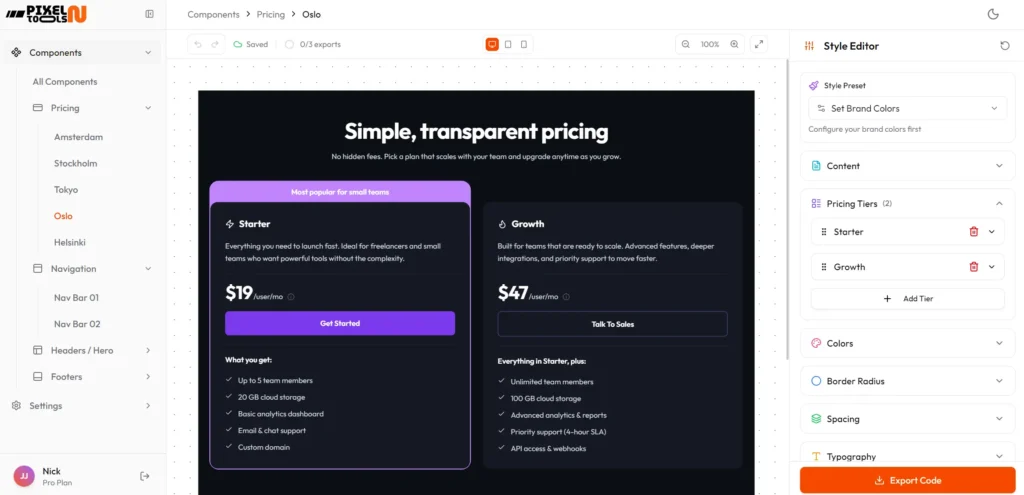
You can choose from premium prebuilt sections like hero areas, pricing tables, testimonials, FAQs, CTA blocks, and more. These are not half-finished wireframes or ugly placeholder boxes. They’re fully designed sections made to look professional from the start.
Customize it visually
Once you pick a section, you can start editing it inside the interface. Change text, colors, layout settings, spacing, buttons, and other design details while seeing the result live.
So instead of fighting a hacky page builder or poking random settings hoping something works, you’re making cleaner changes in a focused setup that actually feels usable.
Stack sections into a full page if you want
PixelNTools is NOT a traditional “site builder” in the usual sense.
It’s more like a section-based design system.
You can grab one section and export it on its own… or stack multiple sections together to build a full landing page inside the page-building mode.
That gives you flexibility. Some people only need one hero section or pricing block. Others want to build out a complete page section by section.
Both workflows work.
Export clean, production-ready code
This is where things start separating from the usual builder junk.
When you export from PixelNTools, you’re not getting bloated nonsense full of random wrappers, bad class names, and messy structure that turns future edits into a nightmare. You’re getting code that’s built with a much more modern approach.
That includes things like…
- BEM methodology for cleaner, scalable class structure
- container queries instead of relying only on old-school media query habits
- nested CSS where it makes sense for better organization
- cleaner, more maintainable structure overall
- accessibility-focused output so your sections are usable by more people and less likely to create problems later
- performance-conscious code that avoids a lot of the junk traditional builders love to dump everywhere
And that stuff matters more than most people realize.
A section that looks pretty in the editor but is messy, inaccessible, or fragile under the hood is not really “easy.” It just delays the pain until later.
Paste it into the platform you already use
Once exported, you can drop that section or page into any platform that supports custom HTML or code blocks.
That means you’re not forced to switch your whole stack just to use better design assets.
WordPress, GoHighLevel, Systeme.io, and other builders can all fit into the workflow.
That’s the real win.
You keep the platform you want… while taking your best sections with you.
Why PixelNTools Feels Different From Most Component Libraries
Most component libraries are either too basic, too developer-focused, or too disconnected from real business use.
They give you rough building blocks, then leave you to do the hard part yourself.
You still have to style everything, fix the responsiveness, clean up the structure, and make it all feel polished.
By the end of it, you’ve basically built the section from scratch anyway, which kind of defeats the point.
PixelNTools takes a different route.
You actually own your work
This is a big one.
Your sections are not trapped in a subscription builder that holds your designs hostage. You’re building assets that can move with you. That means your best-performing layouts are not stuck inside one random project forever.
These are real sections, not empty skeletons
This is not a library of bland placeholders where you still have to do 80% of the design work yourself.
These are real, premium-looking components built to feel polished, modern, and useful from day one. The goal is not to hand you a box of parts and wish you luck. The goal is to help you start with something strong and make it yours fast.
The code quality actually matters
A lot of tools love talking about “beautiful websites,” but completely ignore what happens under the hood.
PixelNTools is built with cleaner front-end structure in mind because that affects everything. Performance, maintainability, portability, accessibility, and even trust.
And accessibility is not some optional extra people can keep ignoring forever.
If your site is hard to use, badly structured, or careless with semantics, that creates real problems. Bad user experience, weaker SEO foundations, and in some cases even legal risk for businesses. So yes, this matters. A lot.
It’s built for cross-platform reality
This wasn’t made in a vacuum.
It came from real frustration with working across multiple builders and realizing how stupid it is to keep recreating the same good ideas in slightly different environments over and over again.
That’s why portability is at the center of the whole thing.
Fair Warning… PixelNTools Is Still in Beta
I’ve been building PixelNTools over the last few weeks as a side project because I needed a better system for my own work first.
So no, this is not some giant polished platform with 100+ features stuffed into it just to impress people on a landing page.
It’s still in beta.
That means the library is smaller right now. It’s growing block by block, and every section gets tested properly before it’s added. I’d rather release fewer components that actually work well across builders than dump a pile of rushed junk into the library just so the feature list looks bigger.
That’s how most tools end up bloated and annoying in the first place.
This beta is for people who already feel this pain.
People who know the pain of rebuilding.
People who care about portability, quality, and speed.
Not people looking for another shiny toy.
The Beta Offer… Join the First 50
I’m opening this beta to the first 50 people who want early access and actually get where this is going.
As a beta member, you get a Visionary License, which includes:
- full access to all current components
- access to future components added to the library
- a locked-in one-time price
- no forced subscription later
- direct influence on what gets built next
That last part matters too.
Early users will help shape the roadmap based on what they actually need in real projects, not what sounds impressive in a fake product meeting.
Once those 50 spots are filled, the price goes up for the public launch.
So if you’re a freelancer, agency owner, or creator working across different builders and you’re tired of losing good work to platform lock-in, this is the chance to start building a design library that actually belongs to you.
Join the PixelNTools Beta – Only 50 Spots Available
FAQ: Building a Business Website in 2026
What is PixelNTools?
PixelNTools is a builder-agnostic UI component toolkit that lets you create and export website sections like hero blocks, pricing tables, testimonials, and CTA sections as clean HTML and CSS.
Instead of building the same section again inside different builders, you customize it once and paste the code anywhere. That includes platforms like WordPress, GoHighLevel, Systeme.io, and any builder that supports custom HTML blocks.
The goal is simple: turn your website sections into portable assets instead of platform-locked designs.
Is PixelNTools a website builder?
No. And that’s intentional.
PixelNTools is not trying to replace your website builder.
Think of it more like a section design system.
You pick a section, customize it visually, and export the code. Then you paste it into the platform you already use.
You can…
- export a single section
- stack multiple sections into a landing page
- reuse the same section across multiple platforms
Your builder stays the same. PixelNTools simply gives you better building blocks.
Why not just use AI to generate a website instead of using PixelNTools?
AI can absolutely help generate website layouts. But getting a premium, production-ready design from AI is rarely a one-prompt job.
You usually end up doing a lot of trial and error.
More prompting.
More tweaking.
More regenerating.
To get something truly polished, you need experience writing good prompts and patience for the back-and-forth process. Even then, AI often produces layouts that still need cleanup, restructuring, and styling before they’re usable in a real project.
PixelNTools skips that entire loop. You start with ready-to-use, conversion-focused sections, customize them visually, and export clean code immediately. No prompt engineering. No endless iterations.
AI is great for brainstorming. PixelNTools is built for actually shipping websites faster.
What kind of UI components will be included?
PixelNTools focuses on real marketing and business sections, not random UI experiments.
Examples include…
- hero sections
- pricing tables
- testimonials
- feature grids
- call-to-action blocks
- lead capture sections
- FAQ layouts
- content sections
These are the sections most businesses actually use when building funnels, SaaS pages, or service websites.
Do I need coding knowledge to use PixelNTools?
No. You can customize sections visually and export the code when you’re ready.
However, if you understand basic HTML or CSS, you’ll have even more control when placing sections inside your builder.
The goal is to keep things simple for non-coders while still producing clean, developer-friendly code.
What makes PixelNTools different from normal UI component libraries?
Most component libraries are built for developers working inside a specific framework like React or Vue.
PixelNTools is different because it focuses on portable website sections that work across builders.
Instead of installing a package or framework, you simply:
- customize the section
- export the code
- paste it into your platform
You own the code and can use it anywhere.
What technologies are used in PixelNTools components?
PixelNTools uses modern front-end practices to keep sections clean and scalable.
That includes:
- BEM methodology for maintainable class structure
- container queries for smarter responsive layouts
- nested CSS for cleaner organization
- semantic HTML for accessibility and SEO
- performance-focused CSS without heavy frameworks
Accessibility and performance are important because poorly structured components can harm both usability and SEO.
Can PixelNTools components work with GoHighLevel, WordPress, or Systeme.io?
Yes. If the platform supports custom HTML or code blocks, PixelNTools sections will work.
That includes…
- WordPress
- GoHighLevel
- Systeme.io
- Webflow
- Framer
- Shopify pages
- most funnel builders
The components are designed to be builder-agnostic, so you are not locked into one ecosystem.
Will PixelNTools slow down my website?
No. The components are built with performance and clean markup in mind.
Unlike many page builders that generate bloated HTML structures, PixelNTools exports lightweight code so your site loads faster and remains easier to maintain.
Does PixelNTools include animations?
Yes, but they are subtle and performance-friendly.
The focus is on micro-interactions that improve user experience rather than heavy animations that hijack scrolling or slow down the page.
For most business websites, subtle motion improves usability while aggressive animation often hurts conversions.
Who is PixelNTools best for?
PixelNTools is best for…
- freelancers building client websites
- agencies working across multiple builders
- creators building funnels and landing pages
- marketers who want reusable design sections
- businesses that want more control over their website assets
If you frequently switch between platforms but want to keep your best designs reusable, PixelNTools fits perfectly.
Why use reusable UI components instead of building everything from scratch?
Reusable components save time and create consistency across projects. Instead of rebuilding the same interface elements repeatedly, developers and designers can reuse tested building blocks and focus on improving the product itself.
For agencies and freelancers especially, reusable sections mean faster delivery and more consistent design quality.

