

You want to build something, you don’t know what to use, and you can’t afford to screw this up.
That’s the actual situation most people are in when they open a new tab and type ‘best AI coding stack 2026’ into Google or whatever AI tool you use these days for searches.
Not “which tool has the best developer experience.” Not “what are the latest agent frameworks.” Just, I have an idea, I have maybe $30 or $50 a month to spend on it, and every post I read contradicts the last one.
Let me put the money on the table first, because that’s the part you actually want to see.
If you copy the stack most builders are posting on X and Reddit right now, you’re looking at Claude Max at $100 or $200, Cursor Pro at $20, ChatGPT Plus at $20, and Google AI Pro at $19.99 (which includes Antigravity), plus Vercel Pro, Supabase Pro, a Figma seat, and Resend.
That’s $300 to $500 a month in subscriptions before you’ve written a single line of code. For a solo operator making nothing yet, that is genuinely insane.
You don’t need that stack and you probably shouldn’t even be near it.
What you need is a map. Eight categories that every modern app touches, the current leader in each one, at least one real alternative, and a clear path from “starting today” to “shipping something real.”
That’s what this piece is. I’ll drop my own personal stack in once, in the middle, as a data point. It runs around $350 a month and it’s wrong for almost everyone reading this.
Then at the end I’ll stitch together the cheap lane… one paid AI, free-tier everything else. If you’re just starting, that’s where you start.
Category 1: The AI coding agent (your main brain)
This is the tool you’ll spend the most time with. Three options matter right now.
Claude Code (Anthropic) is still the one most working developers reach for first when they need code to land on the first try.
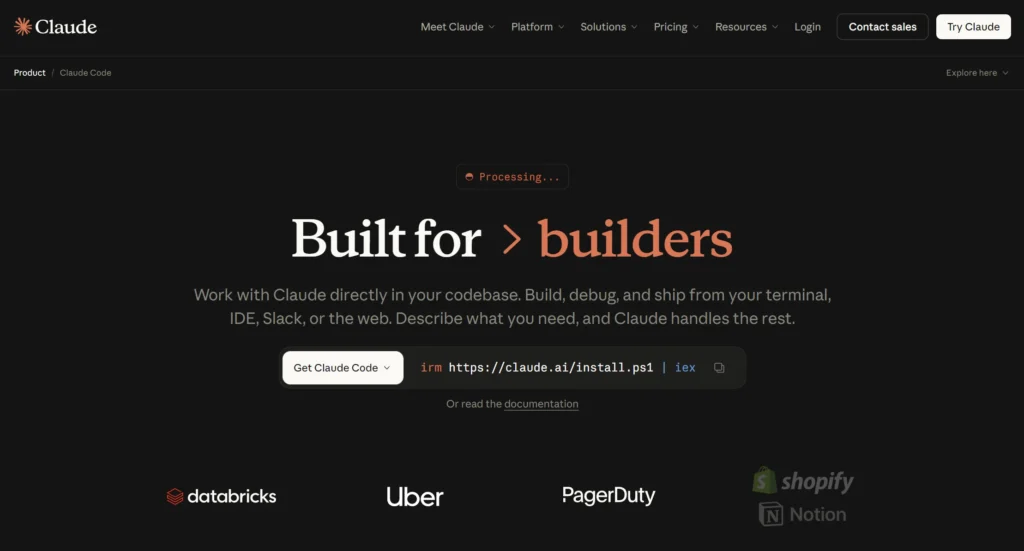
It respects the conventions in your repo, follows instructions more literally than the alternatives, and fails less often on the boring stuff like file structure and naming.
Pro is $20/mo, Max 5x is $100/mo for heavier usage, Max 20x is $200/mo for priority access during peak hours.
ChatGPT Plus with Codex ($20/mo) is the alternative if ChatGPT is already where you think and work. The latest reasoning model merges coding and thinking into one architecture, which means you’re not toggling between modes anymore.
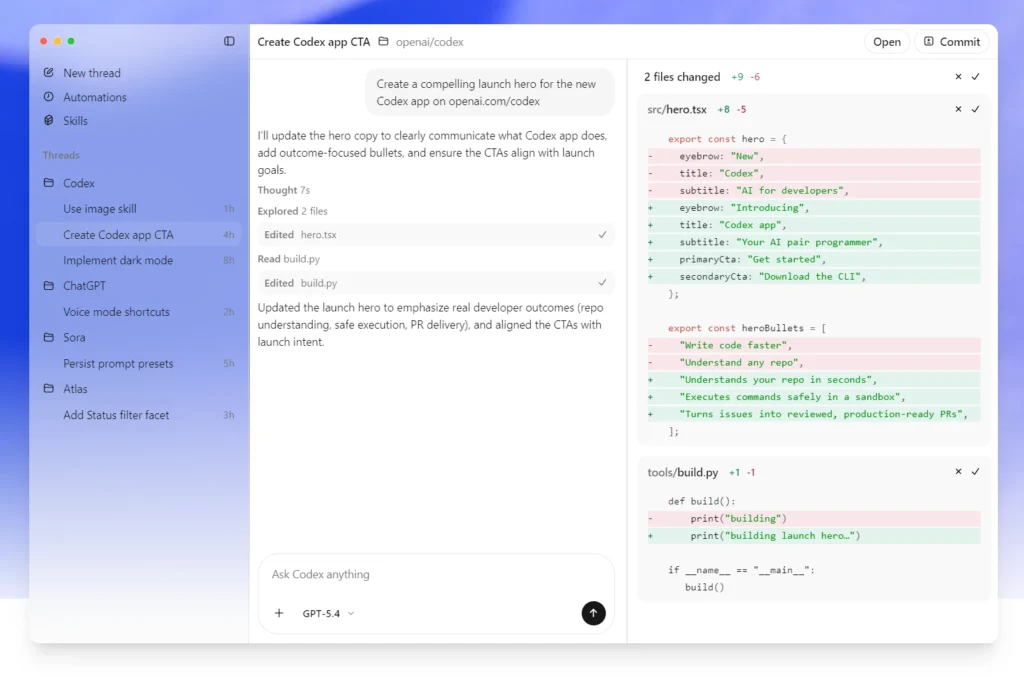
You also get Deep Research and the Codex coding agent in the same $20 tier. Broad ecosystem, broad model access, and the largest plugin marketplace of any AI tool.
Gemini via Google AI Pro ($19.99/mo) gives you Gemini 3.1 Pro plus NotebookLM Plus plus 5TB of Drive storage in one bundle. That’s the best dollar-for-dollar deal in this category if you value research tools alongside your coding brain.
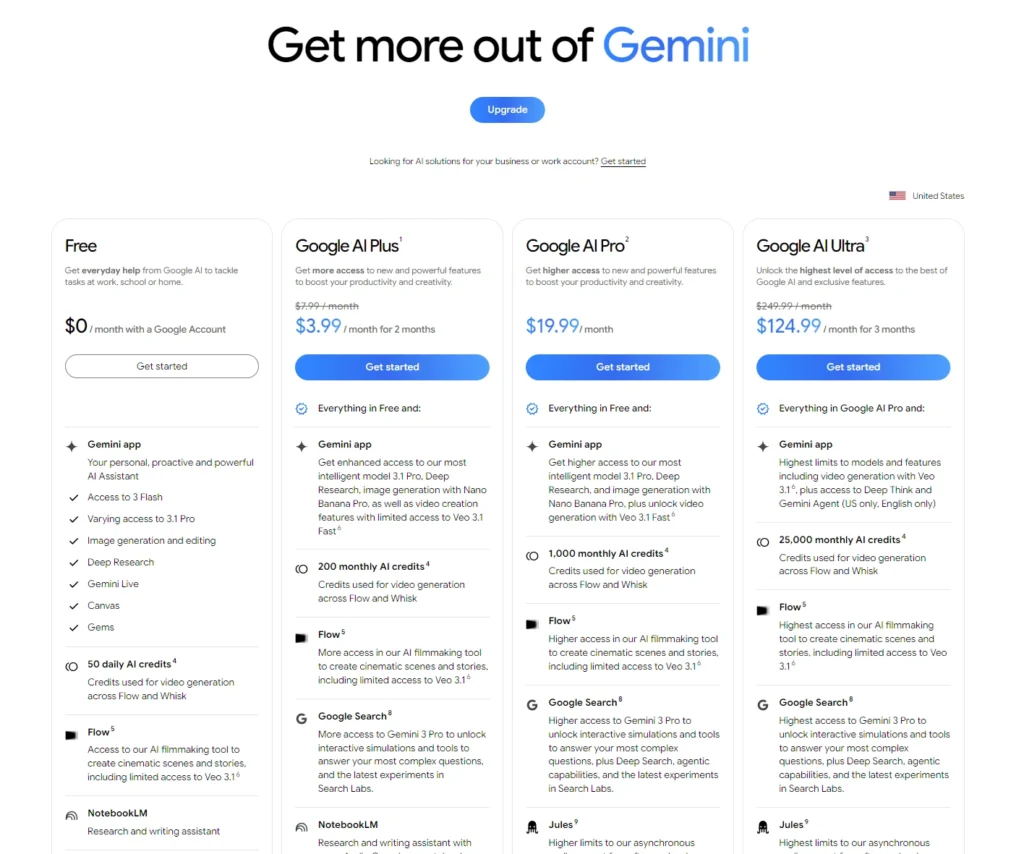
Gemini’s reputation is “boring but capable,” which is partly fair, but on a real repo with real code it quietly holds its own.
Free tiers, briefly: Claude.ai free gives you about 8 messages per session on Sonnet 4.6 before locking you out for hours. ChatGPT free has strict caps on messages, uploads, and research. Gemini free at gemini.google.com is the most generous of the three by a wide margin. If you’re going zero-budget, start with Gemini.
Category 2: The AI coding editor
Your AI brain is one thing. The editor it runs inside is another, and this category is changing fast.
Cursor is the leader. Hobby is free, Pro is $20/mo with a built-in credit pool. Cursor has been rebuilt as an agent-first workspace with multi-repo support, parallel agents across local and cloud, and a Design Mode for browser-based UI feedback.
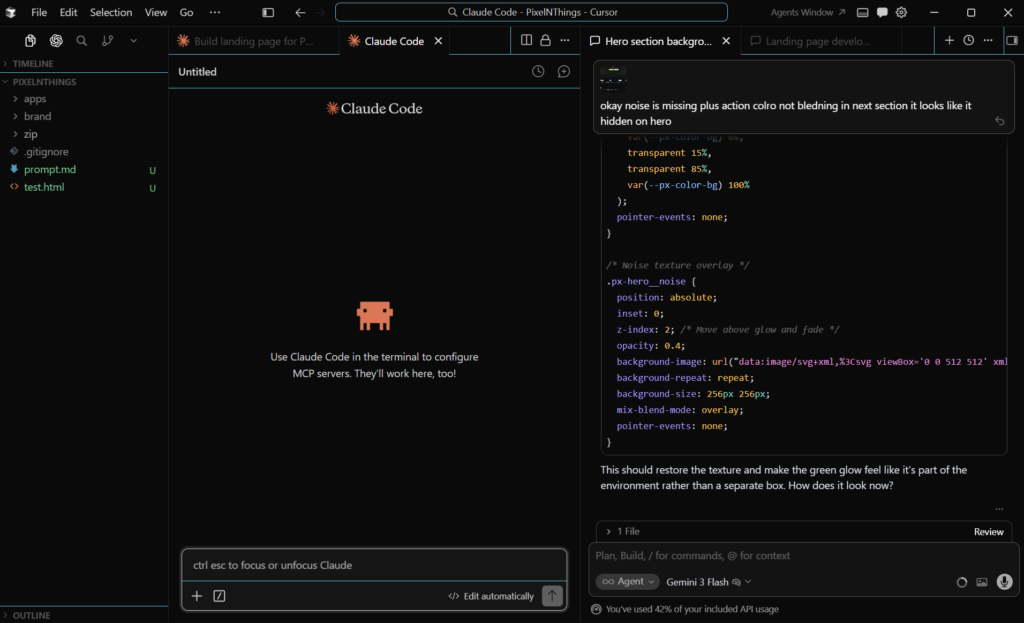
If you’re building anything bigger than a single file, this is the most serious tool in the category right now.
Google Antigravity is the most interesting alternative. It’s bundled into Google AI Pro at $19.99/mo (the same subscription from Category 1), so if you already picked Gemini as your AI brain, you get Antigravity at no extra cost.
There’s also an Ultra tier for $249.99/mo. The selling point is model choice… you get multiple frontier models (Gemini, Claude, and open-weights options) from a single interface, which is useful if you want to swap models mid-task depending on what the work needs.
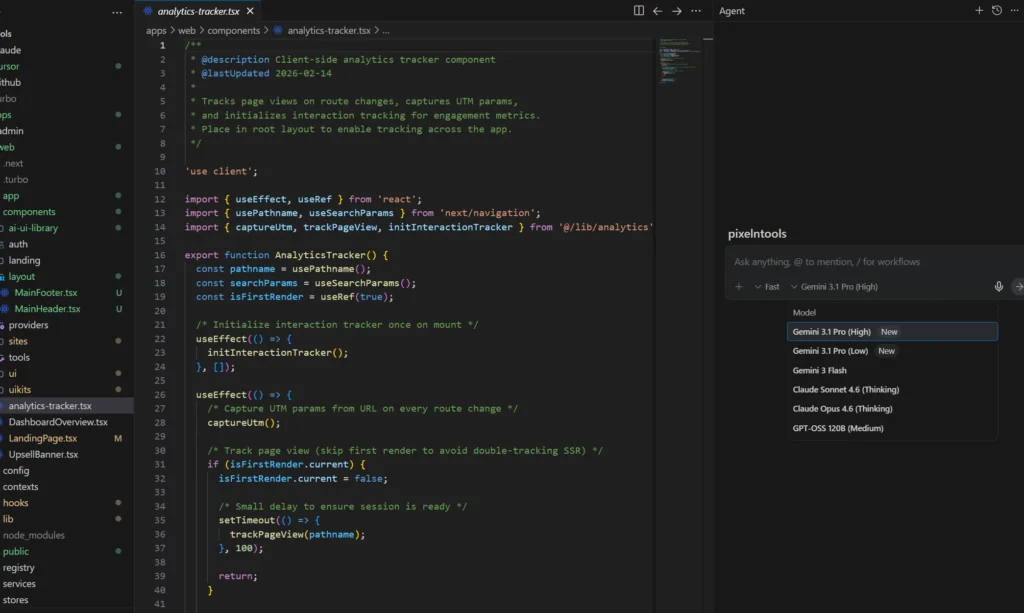
The catch is Ultra subscribers have been having a rough time with rate limits, and the Pro tier is where the value actually lives for most people. Start there if you’re curious.
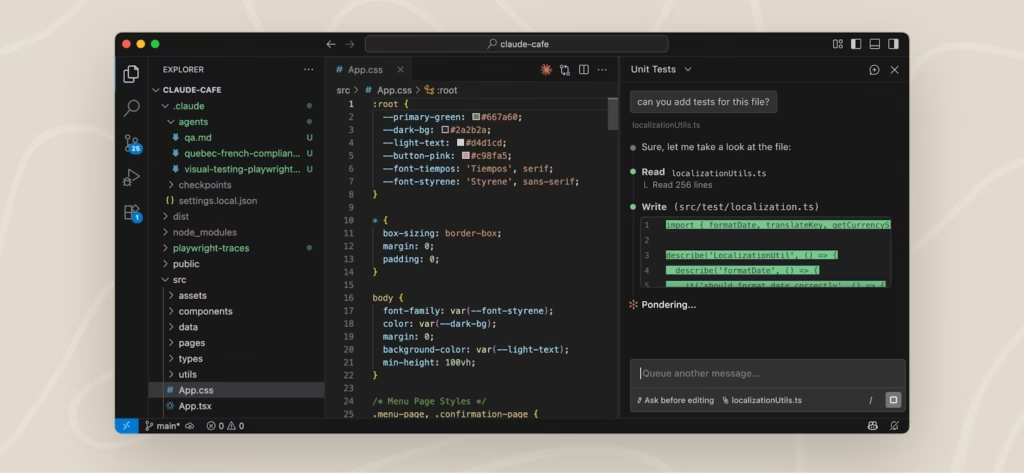
VS Code with Claude Code CLI or Codex is the no-BS option. Free editor, $20 for the AI brain, you skip the AI-editor subscription entirely.
For a beginner who’s already comfortable in VS Code, this is arguably the smartest move because you’re not learning a new editor and a new AI at the same time.
Category 3: The deployment host
Where your code runs when you hit deploy. This is the category where “free tier” claims deserve the most scrutiny, because a viral post can turn a $0 bill into a $300 bill overnight if you pick wrong.
Vercel is the leader on developer experience. Hobby is free for non-commercial projects with 100GB transfer and 1M function invocations.
Pro is $20 per developer seat per month with a $20 monthly usage credit built in. If you’re shipping Next.js, the developer experience is still unbeatable.
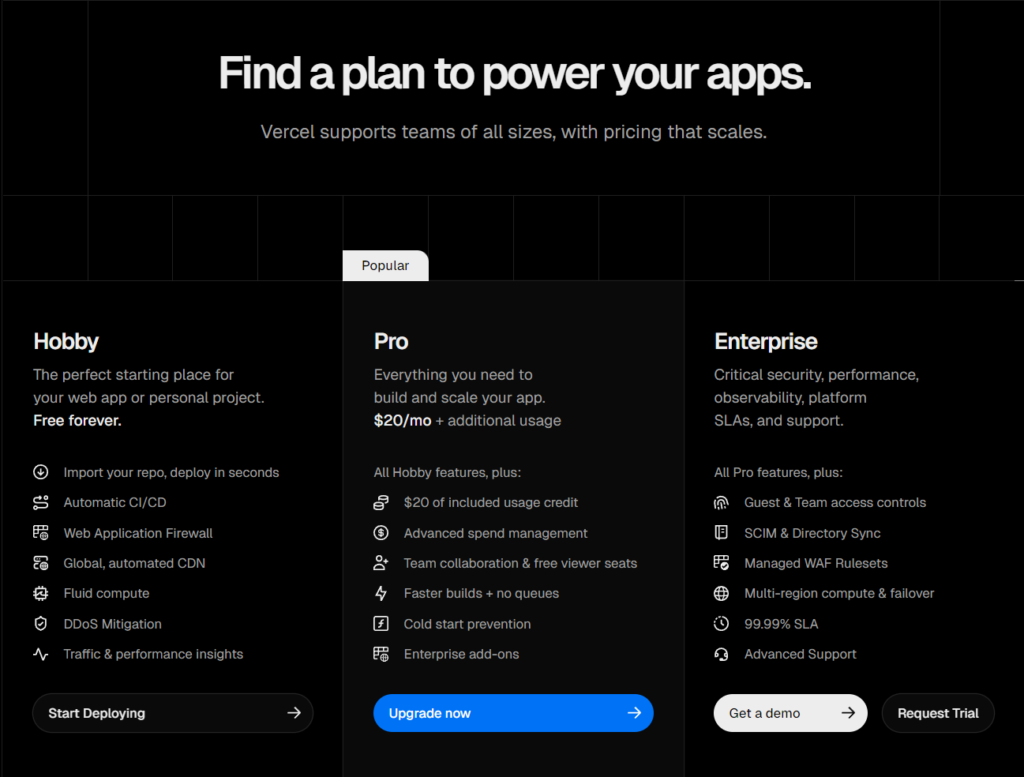
But the catch is bandwidth overages start at $0.15/GB after 1TB, and long-lived AI streams eat compute fast. If your app is a chatbot or anything that holds connections open, read the pricing page twice before you ship.
Cloudflare Workers is the alternative that’s been winning converts away from Vercel all year. Free tier gives you 100,000 requests per day.
Workers Paid is $5/mo for 10M requests, 50ms of CPU per request, and the big one… no egress charges, ever. If your app is bandwidth-heavy, that alone is the reason to pick Cloudflare.
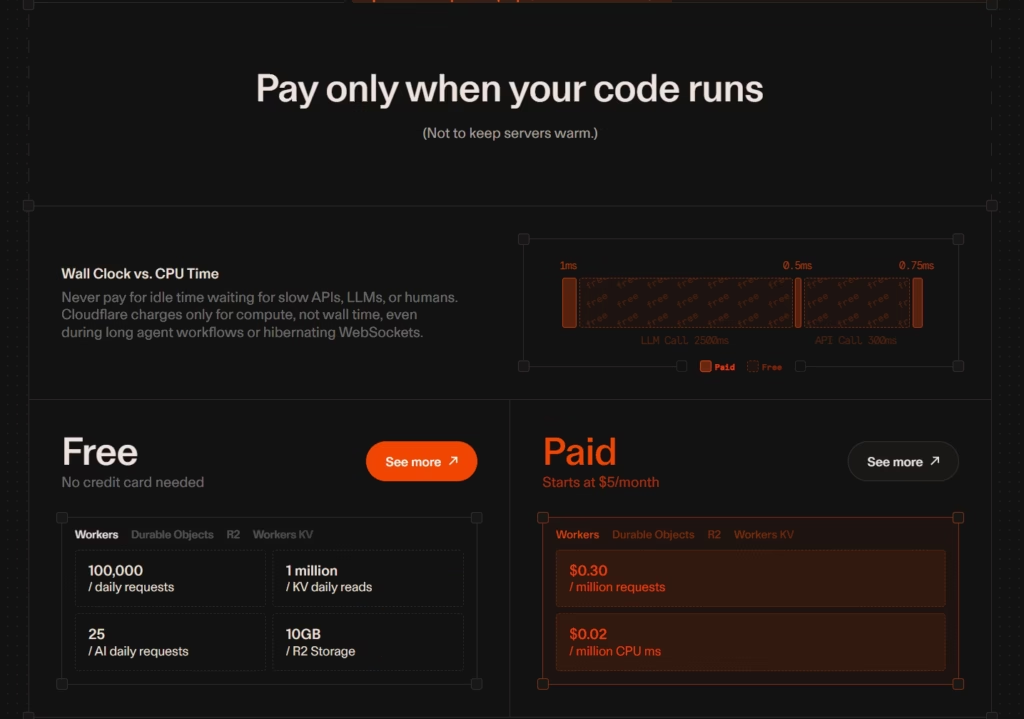
Recent infrastructure updates also make Workers a credible option for AI-heavy workloads that need longer execution times, which wasn’t true a year ago.
Netlify, Railway, and Fly.io all still exist for specific cases. Railway is the one to know if you need a “just give me a container” feel without going full AWS.
The straight call… Start on Vercel Hobby while you’re prototyping, then jump to Cloudflare Workers ($5/mo) the second you need commercial rights or start sweating over bandwidth. That’s $180/year you can dump into your AI subscriptions instead of paying the ‘Vercel Pro’ tax.
Category 4: The backend / database
Pick wrong here and you’ll feel it for months, because databases are the hardest thing in your stack to migrate after you’ve shipped.
Supabase is the leader and the safest long-term bet. Free gives you 2 projects, a 500MB database, and 50,000 monthly active users, but free projects auto-pause after 7 days of inactivity, which is the gotcha that catches every beginner.
Pro is $25/mo and removes the auto-pause. Budget $35 to $75/month for a real production app once overages land.
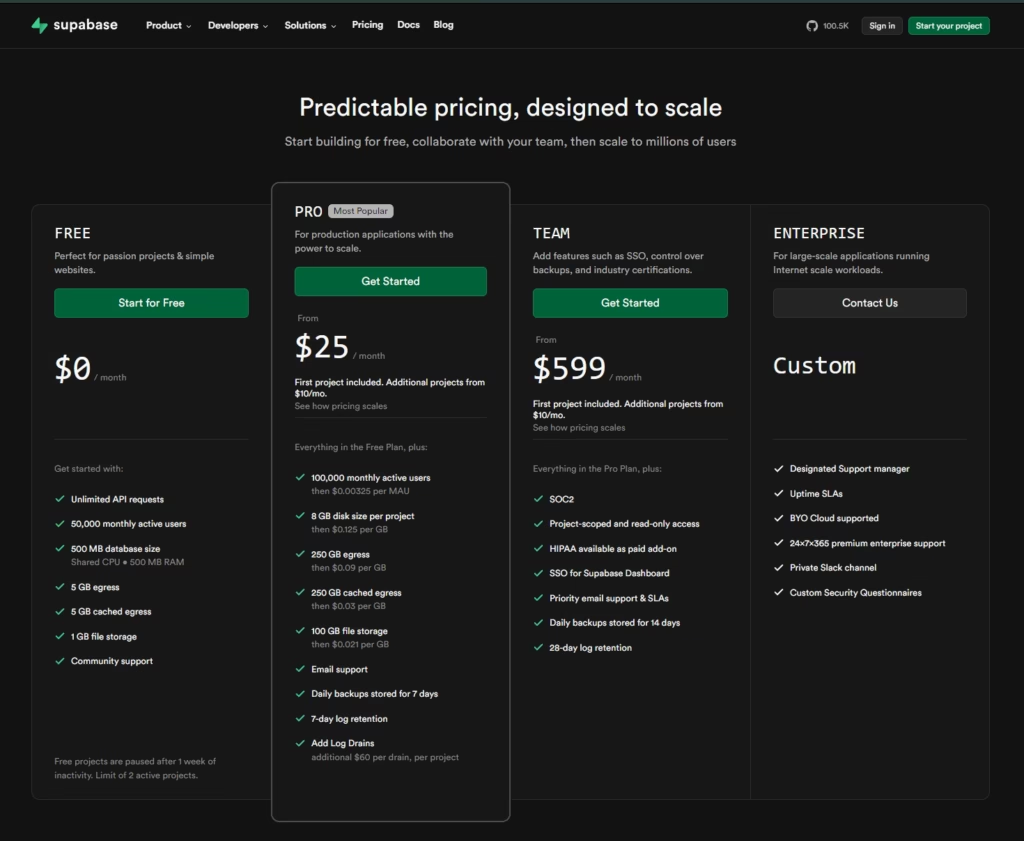
Supabase isn’t the safest pick because it’s technically superior. It’s the safest because every AI coding tool on the market was trained on Supabase examples.
When an AI agent writes your database schema, it’s writing it for Supabase. That ecosystem is a real moat for a beginner who wants tutorials, Stack Overflow answers, and AI agents that already know how to work with their backend.
Neon and Prisma Postgres are the cheaper, simpler alternatives if you only need a database without auth or realtime. Both are native Vercel Marketplace integrations (one-click setup, billing inside your Vercel invoice).
Neon’s killer feature is scale-to-zero… free when idle, 300 to 500ms cold start when it wakes up. Prisma Postgres has zero cold starts but requires Prisma ORM. Both have free tiers that are enough to ship a real product on.
Cloudflare D1 + Durable Objects + R2 is the cheapest serious backend you can run right now, and I mean literally. D1 free tier gives you 5 million row reads per day. R2 has zero egress fees (versus AWS S3’s $0.09/GB).
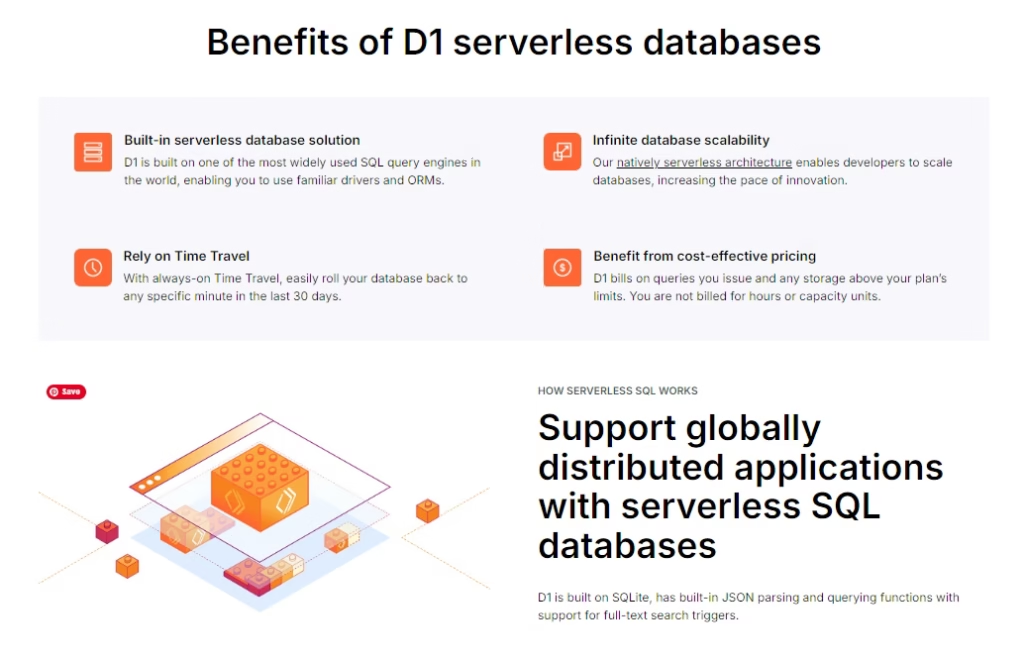
Durable Objects handle realtime and websockets on the Workers Free plan with some CPU caveats. The tradeoff is you stitch more pieces together yourself and the tutorial ecosystem is thinner.
Best fit if you’re already on Cloudflare for hosting or building anything chat-heavy, multi-tenant, or bandwidth-heavy.
Also, pgvector is now standard across all three. If you’re building AI apps, Supabase and Neon have slightly better indexing tools for vector searches, while Cloudflare’s Vectorize is the cheaper but “manual” alternative.
The three-path read: Supabase if you want the bundled ecosystem and auth. Neon if you just need Postgres on Vercel. Cloudflare if you’re cost-obsessed or already on Workers.
Category 5: The research and thinking tool
Most stack posts skip this category. Don’t be the beginner who builds the wrong thing because they skipped the research step.
NotebookLM (Google) is the leader by a wide margin. Free gives you 100 notebooks, 50 sources per notebook, and 10 Deep Research sessions per month.
The thing that makes it different from every other research tool… it only answers from the sources you give it.
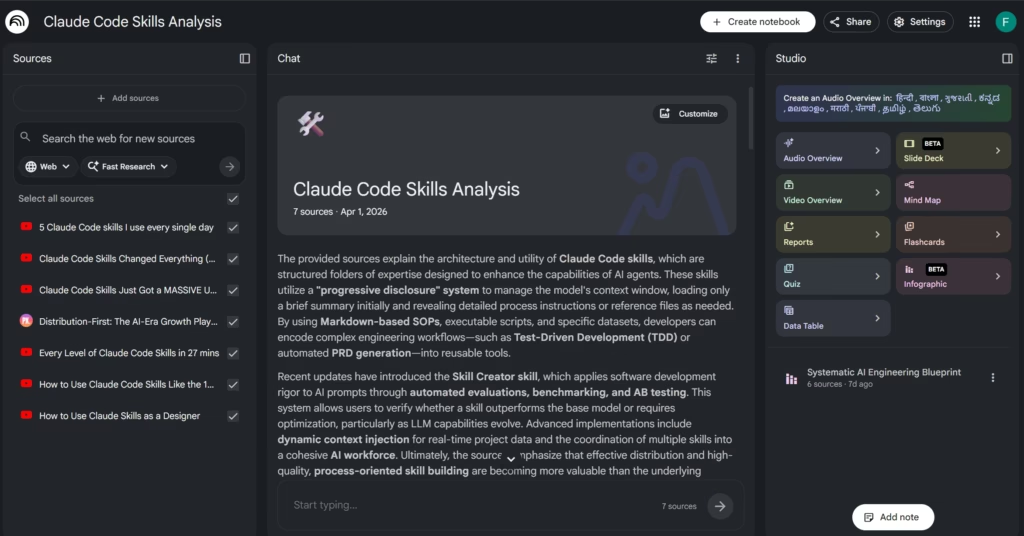
You upload 50 PDFs, it reads them, and every answer is grounded in your material with inline citations. It doesn’t hallucinate from the open web and pretend it came from your doc.
For anything where you need receipts (technical docs, market research, competitor analysis), this is the tool I trust without double-checking.
Plus is bundled into Google AI Pro at $19.99/mo, which means if you picked Gemini in Category 1, you already have it.
ChatGPT Deep Research is the alternative for “what’s happening in X market right now” questions where you don’t have your own sources.
It goes out, pulls from the open web, and returns a cited report.
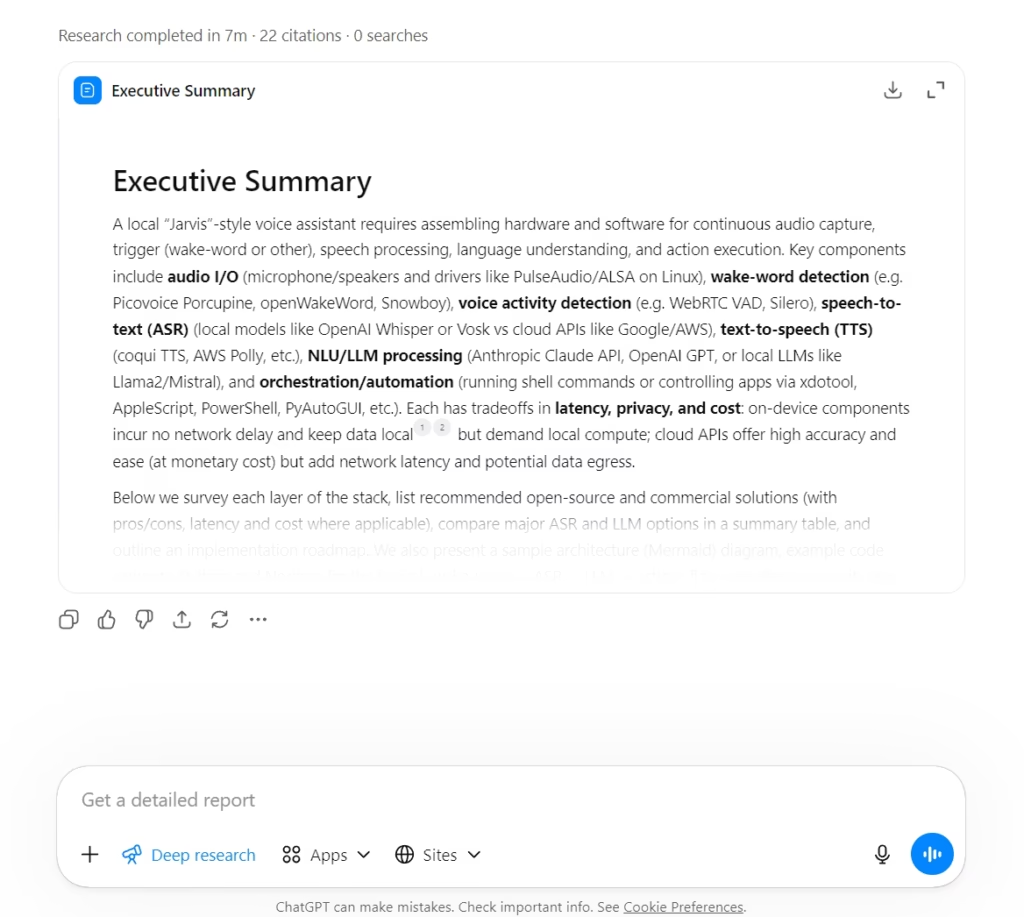
Plus gets 25 queries per month, Pro gets 250. You can create research plans, restrict searches to specific sites, and pipe in connected apps via MCP, which makes it a genuinely useful second opinion to NotebookLM’s closed-source approach.
Perplexity is the middle ground. Free gives you about 5 Pro Searches per day. Pro is $20/mo for unlimited. Fastest way to ask “what is X and what are the current sources” without committing the query to a heavier tool.
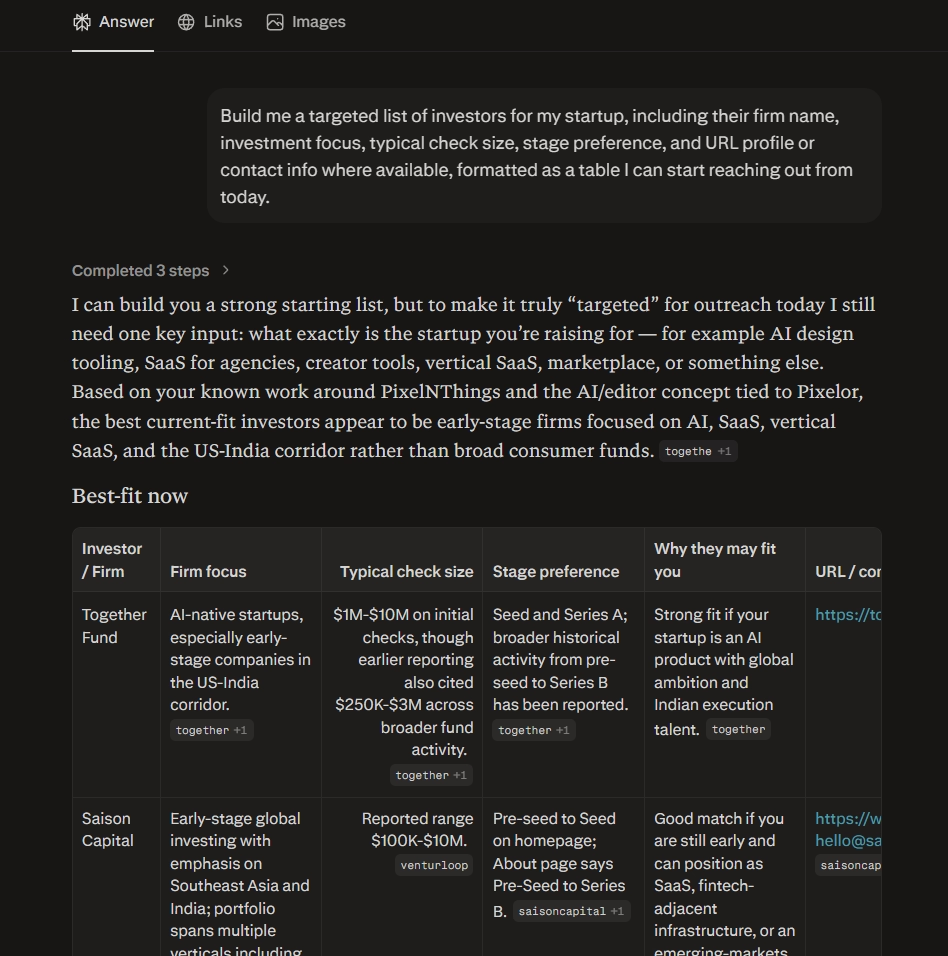
In simple terms: start with NotebookLM Free and Perplexity Free. That covers 90% of what you need before paying for anything and it provides answers without high costs. If you picked Claude in Category 1 and you want to go deeper, I wrote up the 6-prompt research workflow I run inside Claude Code that turns it into a junior researcher.
Category 6: Design and UI
This category has changed more in the last 18 months than any other in the stack. Design tools aren’t just design tools anymore.
They’re starting to ship working apps too. The old “design first, then hand off to a developer” workflow is collapsing into “describe the thing, watch it appear, refine until it’s yours.”
Figma is still the default. Starter is free with 500 AI credits per month. Professional is $16/seat/mo annual with 3,000 AI credits, the MCP server, Dev Mode, and Figma Make.
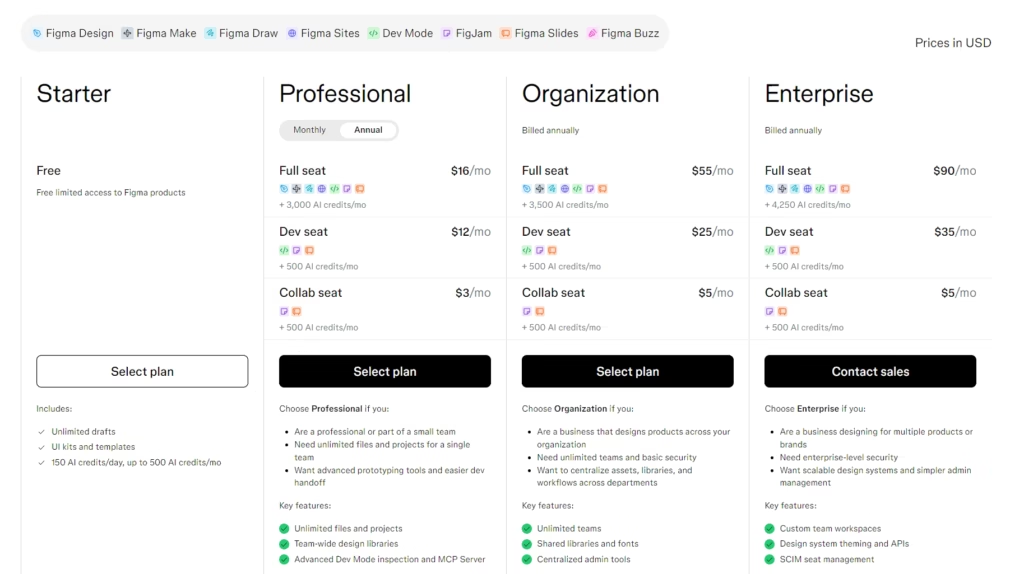
Figma Make is a credible prompt-to-app builder now. It reads your design layers, generates a Supabase schema that matches them, writes the SQL, and wires up auth boilerplate. That’s Figma Make actually building your backend while you sketch the UI.
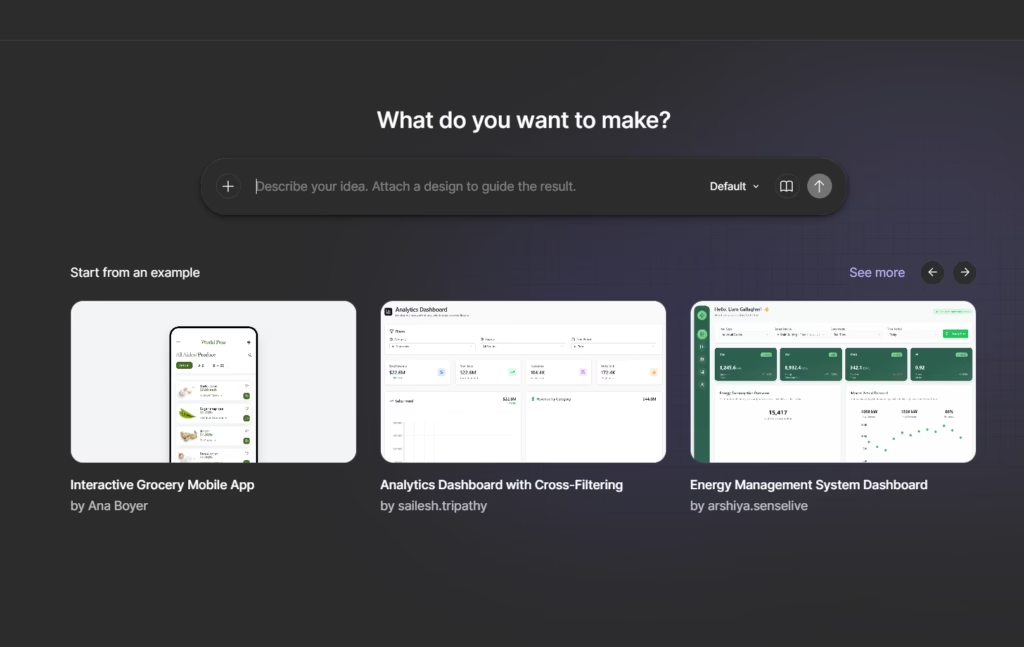
Google Stitch still in Google Labs, but it’s genuinely hot right now and it’s free. Stitch is a design-first AI tool powered by Gemini 3 that generates UI layouts, clickable prototypes, and full user flows from a text prompt.
You get roughly 350 standard screens and 200 pro/thinking screens per month It exports to Figma, AI Studio, Jules, and MCP.
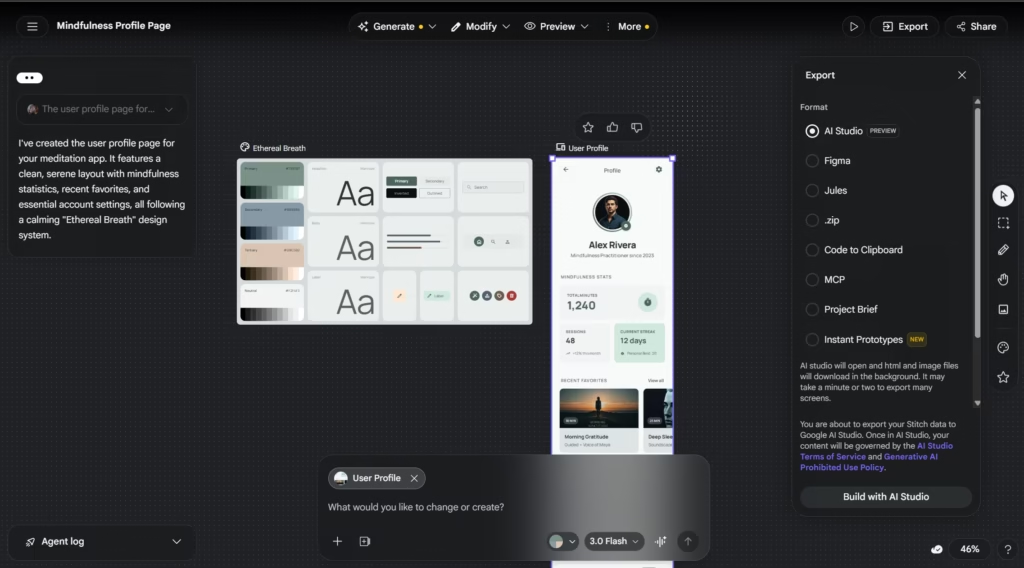
The “Play” mode auto-stitches screens into working user flows, and the Instant Prototypes feature lets you generate clickable prototypes from a description.
For a beginner who’s staring at a blank canvas and doesn’t know what their app should even look like, Stitch is the fastest way to get five different directions in front of you in 15 minutes.
Pick the one that feels closest, export it to Figma or push it straight to Claude Code via MCP, and build for real from there. Zero dollars. This is the blank-canvas killer.
v0 (Vercel) is the alternative for builders who already live in React. Premium is $20/mo. You describe what you want in simple English and get production-ready code using Next.js, Tailwind, and shadcn/ui.
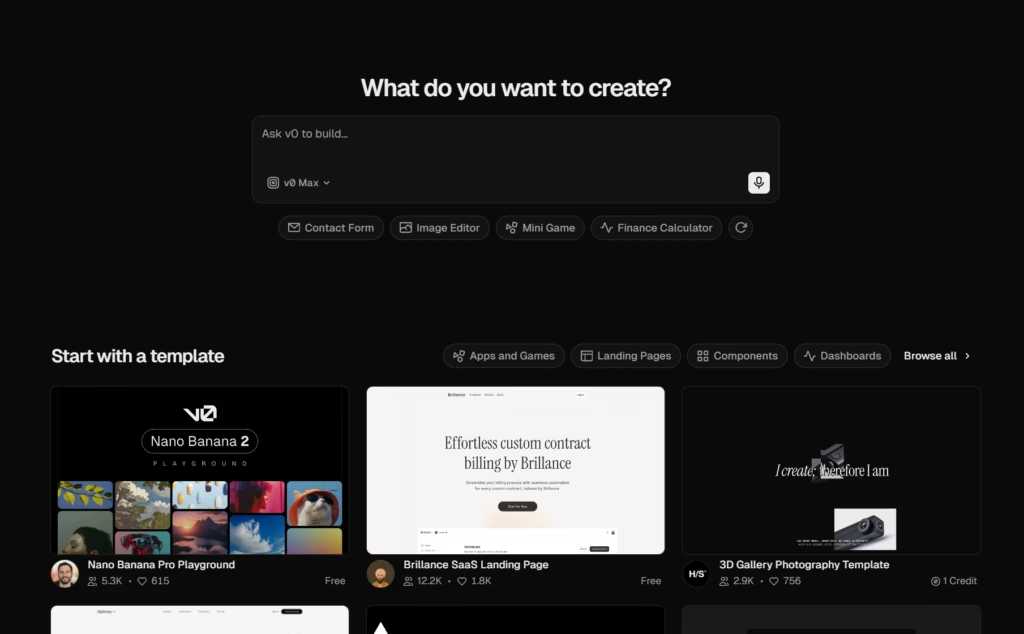
It recently added backend generation as well, but only into the Vercel ecosystem (Vercel Postgres, Vercel KV). If you picked Cloudflare or Supabase in earlier categories, v0’s backend features don’t help you.
Lovable is the option for non-developers who want a working SaaS by tonight. Pro is $25/mo, Scale is $99/mo (you’ll end up there because the $25 tier has tight message limits).
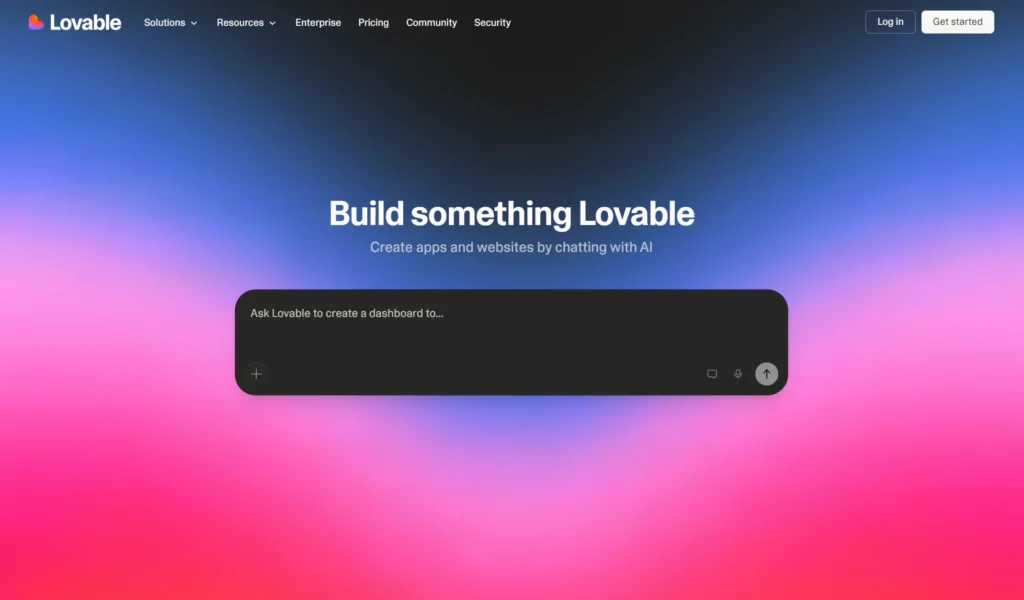
Supabase is baked in from day one and GitHub sync is two-way. The “ship in an afternoon” choice if you don’t care that the seams are visible.
Penpot is the open-source self-hostable answer. Professional is free. Unlimited is $7/seat/mo with a $175/month total bill cap regardless of team size.
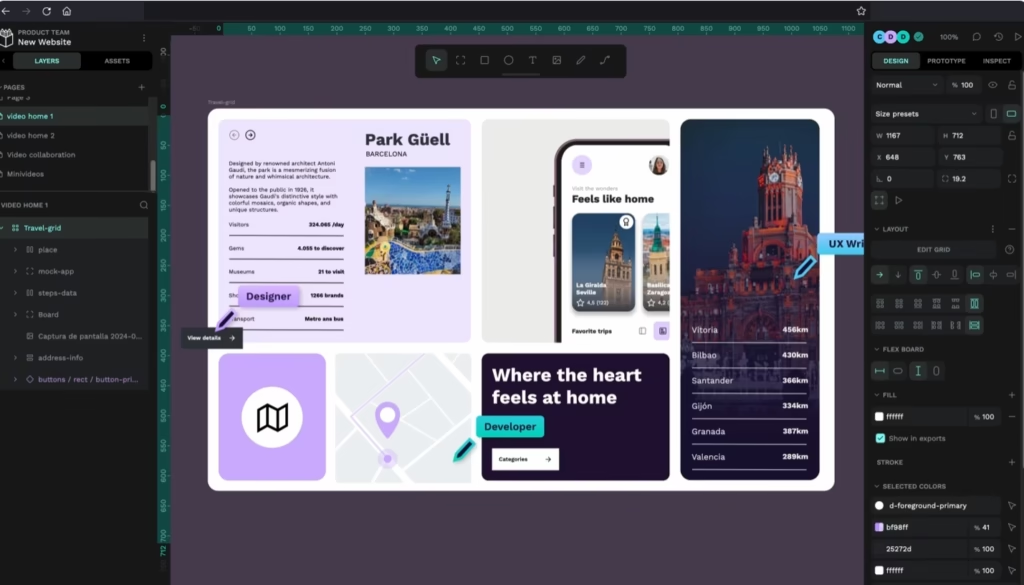
Free Dev Mode and first-class CSS variables out of the box. The right call if you refuse subscriptions on principle or you specifically need production-ready CSS without paying for Figma’s Dev seat.
The single best move for a beginner who codes: Figma Pro and Claude Code via MCP. $36/month total, two-way design-to-code workflow that didn’t exist a year ago. That’s what I’d actually run.
Category 7: Web scraping for agents
When you need your agent to actually look at real web pages, not just hallucinate about them. Most beginners ignore this category until their agent confidently fabricates a competitor’s pricing page that doesn’t exist.
Firecrawl is the leader. Free is 500 credits lifetime (not monthly, that’s important). Hobby is $16/mo billed yearly for 3,000 credits.
The reason Firecrawl is the leader isn’t the pricing, it’s the /interact endpoint… your agent can log into a site, click through a multi-step flow, fill forms, and keep cookies and login state across all of it.
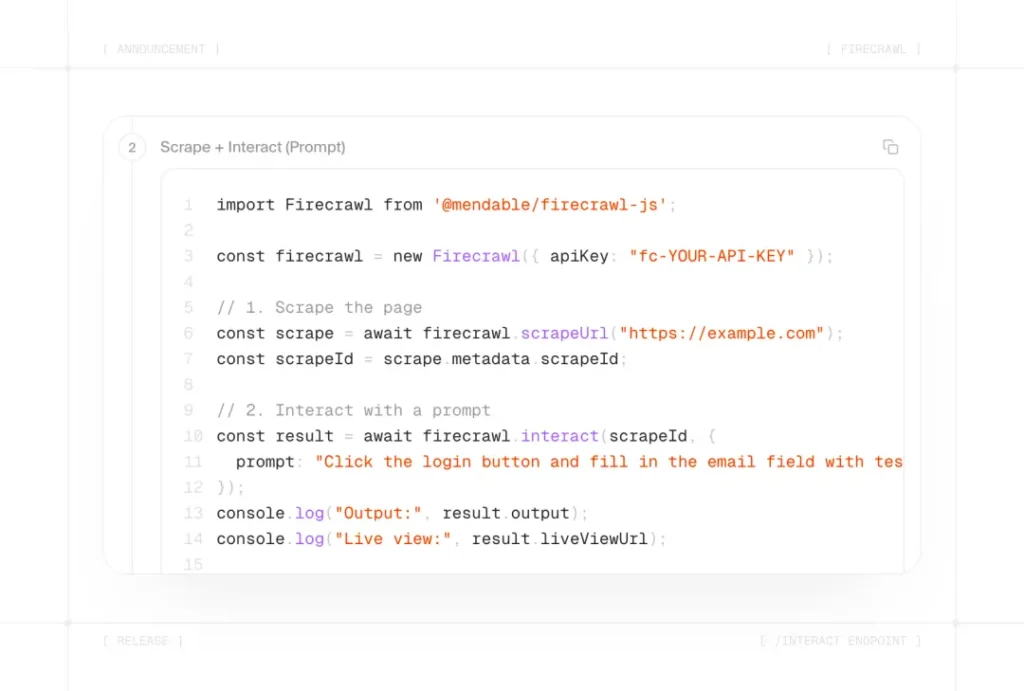
That moves Firecrawl from “scraper” to “remote browser your agent can live inside.” There’s also an official Claude plugin that drops six tools straight into Claude Code, including an autonomous research command where you describe what you need and Firecrawl figures out which pages to visit.
Jina Reader is the simplest possible alternative. Prepend https://r.jina.ai/ to any URL and you get clean LLM-ready Markdown back.
No API key for the free tier. Right pick when you need 1 page now and you don’t want to think about setup.
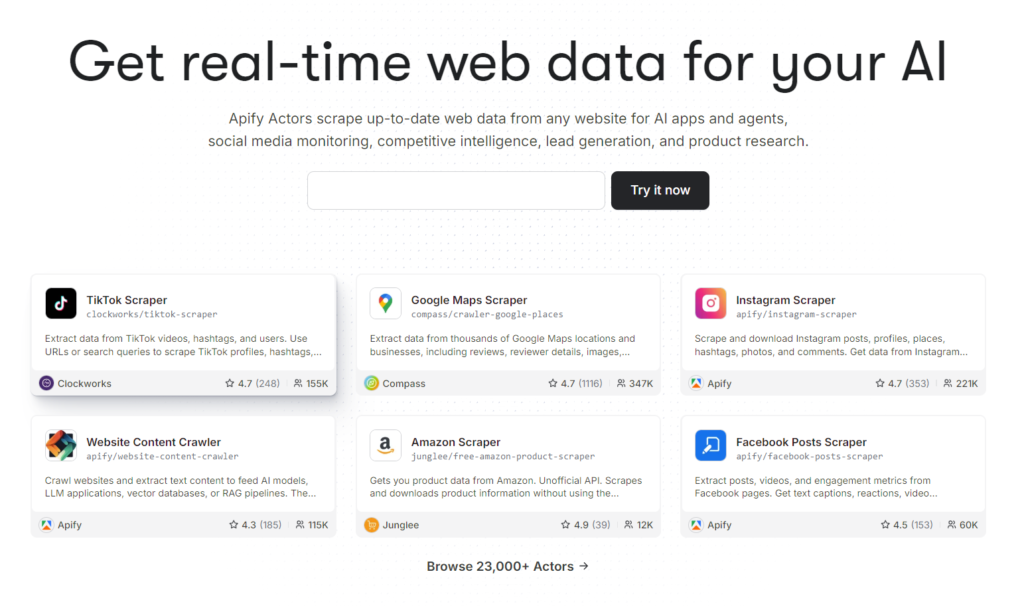
Apify is the marketplace alternative if you specifically need data from a walled garden (Instagram, LinkedIn, Amazon). Free tier gives you $5/mo in credits. They have 23,000+ pre-built scrapers for specific sites maintained by the community.
The built-in web tools (Claude’s WebFetch, ChatGPT’s browsing, Gemini’s grounding) are free with your AI subscription.
Good enough for casual lookups. Not good enough for production agents because they can’t handle JavaScript rendering or anything behind a login wall.
Verdict: Firecrawl Free and your AI’s built-in tools while you’re learning. Upgrade to Firecrawl Hobby and the Claude plugin at $16/mo the moment you start building real agents that touch the live web.
Category 8: Payments and email
The boring category that decides whether your project is a hobby or a business.
Payments leader: Stripe. No monthly fee, 2.9% + $0.30 per charge for US cards. Stripe is the gold standard for flexibility and API depth. If you’re building usage-based pricing, custom checkout flows, or anything that needs deep API control, this is the default.
The Merchant of Record alternatives are what I’d actually recommend a beginner pick first instead of raw Stripe. The single biggest “I wish I knew this earlier” mistake bootstrapping founders make is starting with Stripe and realizing six months later they owe sales tax in 30 states and VAT across the EU.
A Merchant of Record absorbs that problem entirely. They become the legal seller, they collect and remit the tax, you get a clean payout.
Lemon Squeezy (5% + $0.50, indie favorite, no approval needed) and Paddle (5% + $0.50, more enterprise-ready but requires approval) are the established options.
Polar at 4% + $0.40 and Dodo Payments at 4% + $0.40 are the newer, cheaper entries worth watching.
The Tip: Lemon Squeezy if you want speed and zero tax compliance (live in an hour). Stripe if you need deep customization or you’re already past MVP. Migrate from Lemon Squeezy to Stripe once you hit $50k+ MRR and the fee savings justify the engineering effort.
Email leader: Resend. Free tier is 3,000 emails per month with a 100/day cap. Pro is $20/mo for 50,000 emails.
Built by the React Email team, which means you write templates as JSX components.
The most pleasant developer experience in a category where pleasant developer experiences usually don’t exist.
Postmark ($15/mo for 10,000 emails) is the alternative if your business depends on transactional emails reaching the inbox. Sub-second delivery, separate transactional and broadcast streams.
One thing every beginner needs to set up on day one: DMARC, SPF, and DKIM records on your sending domain. Google and Yahoo require them for any domain pushing meaningful volume. If you skip this step, your transactional emails silently land in spam and half your users never see their password resets. Resend’s docs walk you through it. Do it before you send your first email.
My actual vibe stack (data point, not recommendation)
Here’s what I run. If you copy it, you’ll spend around $350/mo and unless you’re already generating real revenue, that’s wrong for you.
Subscriptions (~$237/mo):
- Claude Max: $100
- Supabase Pro: $25
- Cursor Pro: $20
- ChatGPT Plus: $20
- Vercel Pro: $20
- Google AI Pro: $19.99 (NotebookLM Plus + 5TB Drive bundled)
- Figma Professional: $16
- Firecrawl Hobby: $16
- GitHub, Resend, Paddle, Cloudflare: free tier
API top-ups: ~$100–$150/mo across Claude, OpenAI, Gemini, and Cursor overages.
Real monthly total: ~$337–$387.
The reason I run four AI brains is that they disagree in interesting ways and that disagreement is itself useful information.
Claude writes the cleanest code. Gemini reads huge PDFs without losing the thread. GPT lands Deep Research and the rare logic puzzle faster. NotebookLM is the best at “here are 20 sources, what do they actually say.”
When all four agree, I move fast. When they disagree, I stop and think about why. That’s the real reason I pay for four. It’s a built-in disagreement detector.
This stack makes sense because I’m running a content/coding business and four agents at once. It makes zero sense if you’re shipping your first project.
If this is copied as a beginner, it will cost roughly $350 per month, just to find out that four AI tools are arguing while the project is still being developed.
The cheap lane: ~$35 to $50/month (realistically)
If you haven’t shipped your first real project yet, this is the stack I’d put a friend on.
Pick one paid AI subscription. Not three. Claude Pro ($20), ChatGPT Plus ($20), or Google AI Pro ($19.99). Subscribing to all three is the single most expensive mistake bootstrapping builders make.
Pick whichever brain you already vibe with. Claude for clean code. ChatGPT for the broadest tool ecosystem. Google AI Pro for the best bundled deal (NotebookLM Plus and 5TB of Drive included).
On rate limits: all three will wall you mid-flow on a serious session. Gemini gives you the most runway before you hit it, and Google AI Studio on top of the subscription is the most underrated entry point in the stack.
You get free access to Gemini 3.1 Pro Preview, Gemini 3 Flash Preview, Gemini 3.1 Flash Lite Preview Roughly 250 requests/day on some Flash variants, resets midnight Pacific, no credit card to start.
Budget $5 to $15 on top for API top-ups in months you push hard. That’s real. Pretending otherwise is how beginners feel lied to by stack posts.
The rest of the stack:
Editor
Cursor Hobby (free) or VS Code with your AI’s CLI plugin. Codex and Gemini CLI run off your existing subscription, so you’re not double-paying.
Deployment
Vercel Hobby (free) to prototype, Cloudflare Workers ($5/mo) the moment you need commercial use.
Database
Supabase Free for full-stack with auth. Neon Free if you only need Postgres on Vercel.
Research
NotebookLM Free, Gemini 3 free at gemini.google.com, AI Studio for heavier prototyping. If you use Obsidian for notes or project planning, you can connect it directly to Claude Code so your AI agent reads your docs without copy-pasting.
Design
Figma Starter (free) and Google Stitch (free) for the blank canvas.
Resend Free, 3,000/month. Set up DMARC, SPF, and DKIM when you connect your domain or password resets silently land in spam at 30% of providers.
Payments
Stripe (transactional, no fixed cost) or Lemon Squeezy (5% + $0.50, MoR). Either is right.
Web for agents
Firecrawl Free (500 lifetime credits) for when your agent actually needs to read a real page. Use your AI’s built-in web tools for everything else.
Domain
$10 to $15/year. You need one.
Realistic floor: ~$35 to $50/month. The $20 subscription is just the entry fee. Factor in $5–$15 for API top-ups when you’re in flow, $1/month for your domain, and the inevitable $25 Supabase Pro upgrade you’ll buy the second your project auto-pauses during a live demo.
Still a fraction of the $300+ full stack. Still enough to ship something real.
The move that actually stretches your dollar
Most beginners burn their paid AI limits on work a free tool handles fine. The builders who get the most out of a cheap stack run a sequence instead…
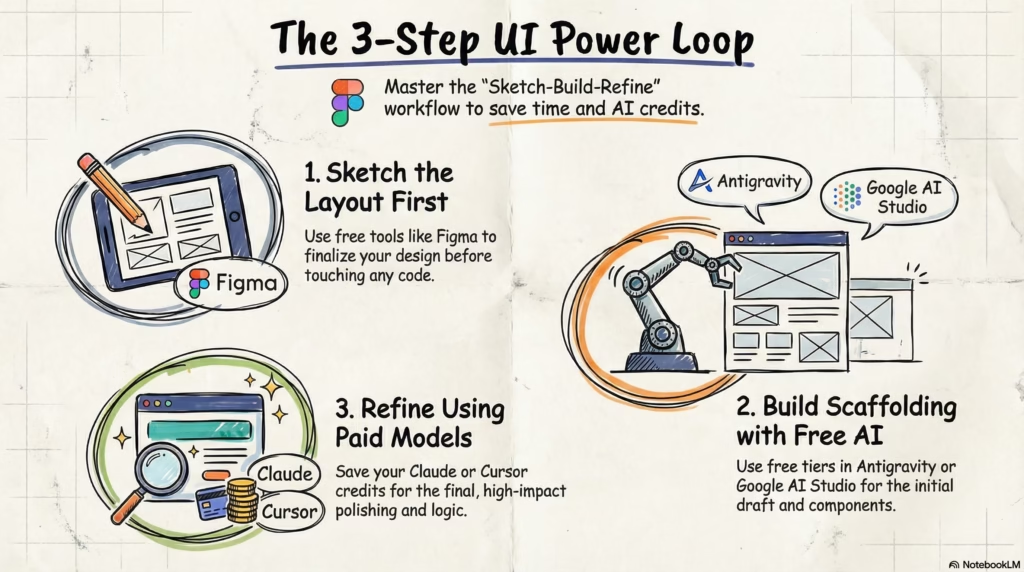
Sketch → Build → Refine.
- Sketch the UI first. Start in Figma Starter or Google Stitch. Free, fast, and it forces you to think through the layout before you touch code. Skip this step and you’ll waste Claude messages asking it to redesign things you should’ve figured out on paper.
- Build the prototype on a free tier. Take your wireframe into Antigravity, Lovable, or Google AI Studio. Let them handle the scaffolding, the component structure, the boring first draft. These tools are good at first drafts and they’re free. Don’t burn your paid subscription on work a free generator handles fine.
- Refine in Claude. Pull the working prototype into Claude Code or Cursor with Claude. This is where your $20 earns its keep.
Claude is significantly better refactoring existing code than starting from a blank file, so by the time it sees your project, the scaffolding is done and it can focus on the hard 20%… logic, state, bugs, architecture, the stuff free tools get wrong.
Yes, you’re jumping between apps. That’s what $20 buys you. The builder paying $300/month across every Pro tier isn’t shipping faster, they’re just paying Claude to generate boilerplate CSS.
One subscription. Every free tier doing the job it’s best at. Ship more in a month than most people ship in six.
On brand sentiment
Some builders won’t touch OpenAI over the military contracts and leadership drama. Some find Gemini soulless. Some are all-in on Claude because Anthropic’s safety stance actually matters to them. All of those are defensible.
Here’s my take, for whatever one data point is worth… “pure” isn’t really on the menu at this capability level.
Every frontier lab will end up with government contracts, decisions you don’t love, and supply chains that aren’t clean.
If your bar is perfect ethics, you’ll end up using nothing, which is a position I respect, just not the one most builders are taking.
The useful question isn’t which lab is clean. It’s which tradeoffs you can defend to yourself in a quiet moment, not to a stranger online. To you, when you look at your stack and ask whether you’re good with what you’re paying for.
Anyone telling you the “correct” answer is selling you something, ME included.
The only rule that matters
There’s no correct stack. There’s a stack you understand well enough to ship with, and there’s everything else.
Most stack posts start at the maximum and dare you to talk yourself into it. This one goes the other way on purpose… cheapest credible option in every category, build something real, upgrade only what breaks.
Six months from now you won’t have the stack you read about in some article. You’ll have one that fits your workflow, your product, your budget, your values.
It’ll look nothing like mine. It’ll look like yours, and that’s the only stack that ships things that matter.
Once you’ve shipped, the next problem is getting people to see it. Building the thing and getting it in front of people are two completely different skills, and most builders are good at one and terrible at the other.
I wrote a distribution-first playbook for that stage if you want to think about it before you need to.
Now go pick the stack. Ship the thing. Upgrade only what breaks. That’s it.
See you in the next one. PEACE ✌️
Frequently Asked Questions
About

Nick Chauhan
Web Developer & Founder Of PixelNThings
I build AI-powered systems that actually ship. Agents, automations, full-stack apps. Claude, Cursor, Gemini, MCP, n8n, Stitch etc.. Also design high-converting funnels and website on Systeme.io, WordPress & GoHighLevel. I post what I build.

